
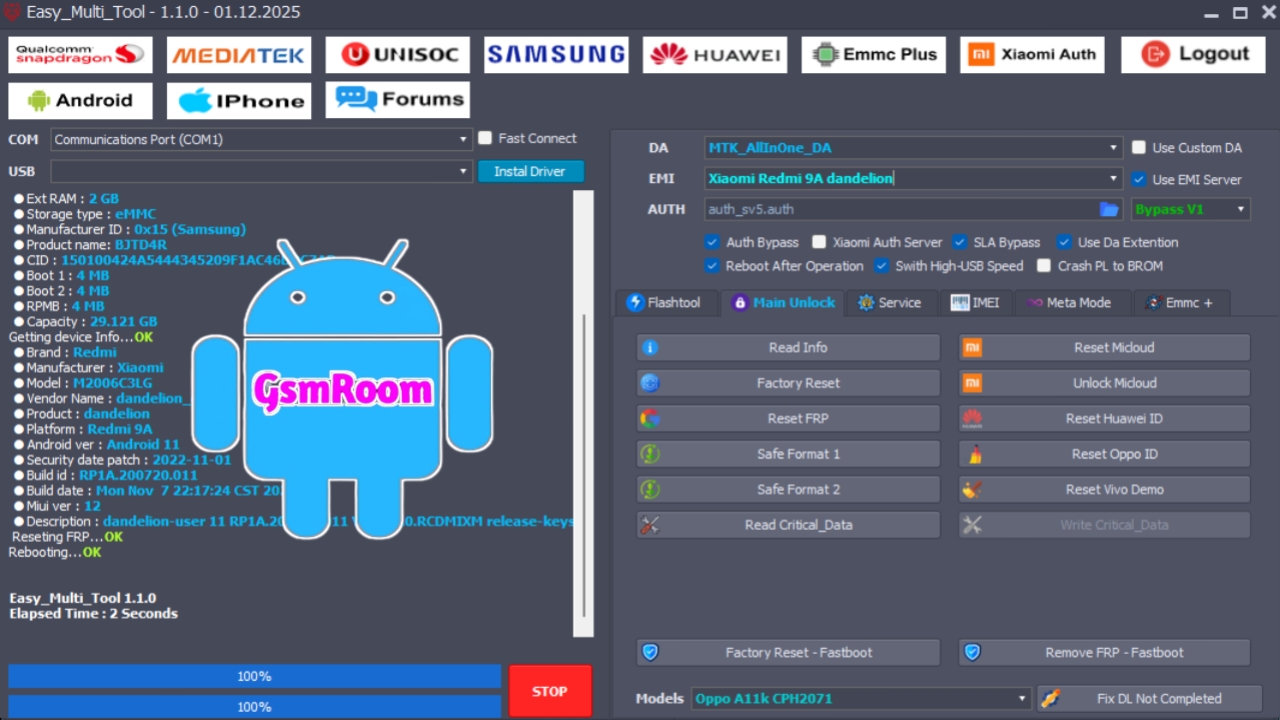
The Easy Unlock Tool is a simple yet powerful software utility designed to help users and technicians bypass Android security locks, FRP (Factory Reset Protection), and fastboot locks without complex procedures. Known for its user-friendly interface and quick execution, this tool is widely used in mobile repair shops, service centers, and by advanced Android enthusiasts.
In this article, we provide a complete guide to the Easy Unlock Tool Free Download, its features, supported devices, system requirements, installation steps, and how to use it to resolve common Android security issues.
What Is the Easy Unlock Tool?
The Easy Unlock Tool is a lightweight and straightforward Android servicing utility designed to quickly remove screen locks and bypass FRP protections on a wide range of Android devices. Unlike heavy professional tools, it focuses on essential unlocking features, making it ideal for both beginners and professional technicians.
The tool works with multiple connection modes, such as ADB, Fastboot, and Download Mode, to maximize compatibility and success rates.
Key Features of Easy Unlock Tool
Screen Lock Removal
- Remove pattern, PIN, password, fingerprint, and face lock easily
- Works on many Android brands
- Fast and safe execution
FRP Bypass (Google Account Removal)
- Remove Factory Reset Protection (FRP)
- Supports Android versions up to Android 15
Fastboot and ADB Support
- Unlock devices using Fastboot commands
- Bypass locks using ADB Mode
- Auto-detects connected devices
Lightweight & Easy to Use
- Simple interface suitable for beginners
- No complicated setup required
- Small file size and fast execution
Free Download
- Available as a completely free tool
- No dongle or login needed
- Works offline in most modes
Supported Devices
The Easy Unlock Tool supports a broad range of Android smartphones and tablets, including:
- Samsung Galaxy series
- Xiaomi / Redmi / Poco devices
- Oppo & Realme smartphones
- Vivo & iQOO models
- Huawei & Honor devices
- Infinix, Tecno, Nokia, Motorola, and more
Compatibility may vary depending on firmware and security patch level.
How to Install Easy Unlock Tool
- Download the Easy Unlock Tool from a trusted source
- Extract the ZIP/RAR file using WinRAR or 7-Zip
- Install required ADB & Fastboot drivers
- Run the tool as Administrator
- Connect your Android device via USB cable
- Select the desired function (e.g., Screen Unlock, FRP Bypass)
- Start the unlocking process
How to Use Easy Unlock Tool
Screen Lock Removal
- Power on the device and enable USB Debugging (if possible)
- Connect to PC via USB
- Open the Easy Unlock Tool
- Choose the Screen Unlock option
- Click Start
- Wait for the process to complete
FRP Bypass
- Boot the device into Fastboot or Download Mode (as instructed)
- Connect the device to the PC
- Open the tool and select FRP Bypass
- Click Start
- Wait for the bypass to finish
Why Use Easy Unlock Tool?
- User-friendly — Easy to navigate for beginners
- Free to use — No charges, no dongles
- Fast performance — Quick unlocking and bypassing
- Wide compatibility — Works with many Android brands
- Lightweight — Minimal resource usage
This makes the tool ideal for mobile technicians, hobbyists, and anyone needing a simple Android unlock solution.
Common Issues & Fixes
Device Not Detected
- Install or update Android USB drivers
- Try another USB cable or port
Unlock Fails
- Ensure the correct mode is selected (ADB/Fastboot)
- Verify device firmware compatibility
Tool Not Opening
- Run as Administrator
- Temporarily disable antivirus (false positive detection)
Is Easy Unlock Tool Safe?
Yes, the Easy Unlock Tool is generally safe when downloaded from a trusted source. Because it performs deep system-level operations, some antivirus software may flag it as suspicious. These are often false positives typical of Android servicing tools.
Thank you for tool
TH……