
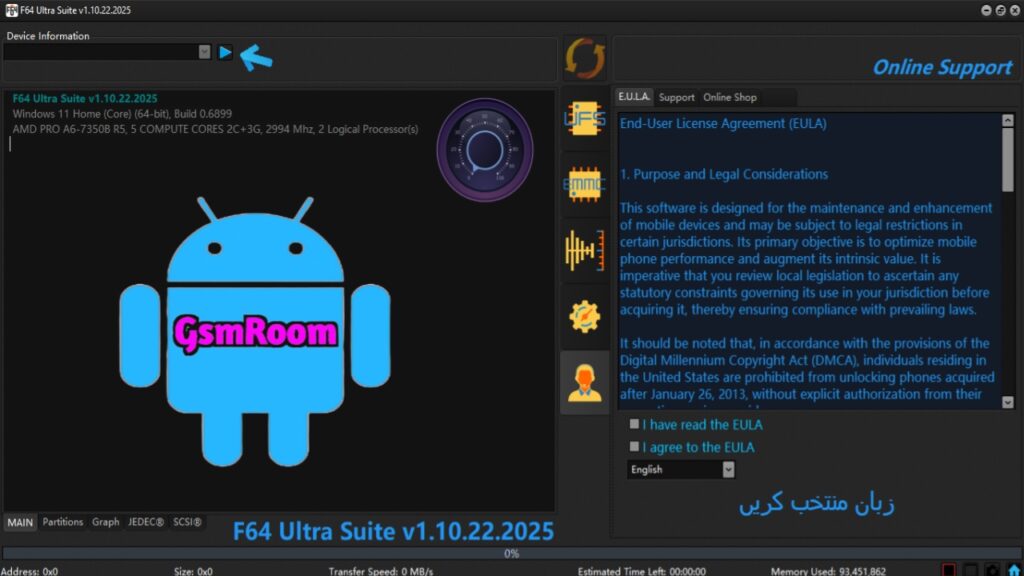
In the ever-evolving world of Android servicing, unlocking, and firmware management, the Flash64 Tool V1.10.22.2025 has emerged as one of the most powerful and versatile solutions for technicians and mobile repair professionals. The latest version of Flash64 Tool (2025) comes with enhanced compatibility, optimized performance, and an expanded set of features that make flashing, unlocking, and repairing Android devices faster and safer than ever before.
What is Flash64 Tool V1.10.22.2025?
Flash64 Tool is a multifunctional Android servicing utility designed for professional mobile technicians and advanced users who want to handle tasks such as FRP bypass, firmware flashing, IMEI repair, bootloader unlock, and security patch removal. It supports a wide range of chipsets, including MediaTek (MTK), Qualcomm, Unisoc (SPD), and Exynos.
The V1.10.22.2025 update introduces a smoother interface, bug fixes, and extended compatibility with the latest Android 14 firmware, making it a must-have tool for both beginners and experts in mobile repair.
Table of Contents
Key Features of Flash64 Tool V1.10.22.2025
1. Comprehensive Android Support
Flash64 Tool supports almost all Android brands, including Samsung, Xiaomi, Oppo, Vivo, Realme, Infinix, Tecno, Nokia, and Motorola. It automatically detects the connected device’s chipset and adapts flashing protocols accordingly.
2. FRP Bypass (Google Account Removal)
The latest update includes one-click FRP removal for Android 8 to Android 14 devices. It supports MTK and Qualcomm FRP unlock methods, enabling easy access even when the device is locked by a Google account.
3. Firmware Flashing and Upgrading
Users can easily flash stock ROMs, custom firmware, or official updates. The tool offers Scatter File Flashing for MTK, EDL Mode Flashing for Qualcomm, and Pac/Pac5 File Flashing for SPD. The new version enhances flashing speed by up to 40% faster than before.
4. IMEI Repair and Backup
Flash64 V1.10.22.2025 supports IMEI repair and backup for multiple chipsets. The tool allows safe IMEI restoration without root, ensuring compliance with local laws and regulations. Backup and restore features guarantee data integrity during servicing.
5. Unlocking and Relocking Bootloader
With this update, users can unlock and relock the bootloader of supported devices with a single click. This feature is useful for installing custom ROMs or performing system modifications.
6. Secure Data Wipe and Reset Options
The tool allows users to perform safe factory resets, cache wipes, and pattern lock removals. This ensures privacy and prevents software conflicts when flashing or repairing devices.
7. Firmware Extraction and Conversion
The built-in firmware extractor lets you unpack firmware files from multiple formats (e.g., .zip, .tar, .bin, .pac) and convert them for use with compatible tools. This update also adds Firmware Analyzer Mode, which helps users verify integrity before flashing.
8. Driver Auto-Installer
The Flash64 Tool 2025 package includes all essential USB drivers—MTK, Qualcomm, SPD, ADB, and Fastboot—making installation straightforward and eliminating compatibility errors.
What’s New in Flash64 Tool V1.10.22.2025?
- ✅ Support for Android 14 security patch
- ✅ Improved compatibility with MTK Dimensity 700/720/810/900 chipsets
- ✅ Enhanced Qualcomm EDL Mode Flashing stability
- ✅ New algorithm for faster FRP bypass
- ✅ UI redesign for a more intuitive experience
- ✅ Automatic device detection and chipset recognition
- ✅ Improved error handling and log system
- ✅ Minor bug fixes and driver updates
How to Install Flash64 Tool V1.10.22.2025
- Download the latest version of the Flash64 Tool from a trusted source.
- Extract the ZIP file to your desktop using WinRAR or 7-Zip.
- Follow on-screen instructions to complete the installation.
- Once installed, launch the tool and activate your license (if required).
- Start using the tool for flashing, unlocking, or repairing your phone.
How to Use Flash64 Tool for FRP Bypass
- Open the Flash64 Tool interface.
- Select your device’s chipset (MTK, Qualcomm, SPD, etc.).
- Choose the “FRP Unlock” option.
- Connect your phone in the correct mode (Download/EDL/Meta mode).
- The device will reboot automatically without a Google account lock.
Advantages of Using Flash64 Tool
- All-in-one solution: No need for multiple utilities.
- No need for dongle or box: 100% software-based solution.
- Fast and reliable: Optimized algorithms ensure smooth operations.
- Regular updates: Developers constantly add new features and fix bugs.
- User-friendly interface: Easy navigation and clear instructions.
- Safe operations: Backup and restore functions prevent data loss.
Supported Brands and Models
- Samsung: A series, M series, J series (FRP, Flash, Bootloader unlock)
- Xiaomi/Redmi/Poco: All models with MTK and Qualcomm chipsets
- Realme & Oppo: Latest ColorOS versions supported
- Vivo: Pattern lock, FRP, and IMEI repair supported
- Infinix & Tecno: SPD and MTK-based firmware supported
- Nokia & Motorola: Qualcomm-based flashing and FRP unlock
Troubleshooting Common Issues
- Tool not detecting device: Reinstall drivers and use a different USB port.
- Error during flashing: Ensure you have the correct firmware version.
- FRP unlock failed: Try a different mode (ADB, Meta, or Fastboot).
- Tool crashes on start: Run as Administrator or disable antivirus temporarily.
Download Flash64 Tool V1.10.22.2025 (Latest Version)
The Flash64 Tool V1.10.22.2025 Free Download package is available from trusted firmware and GSM servicing websites. Always download from reliable sources to ensure malware-free installation and authentic software files.
⚠️ Note: This software is intended for professional use only. Misuse may lead to device damage or voided warranty.