
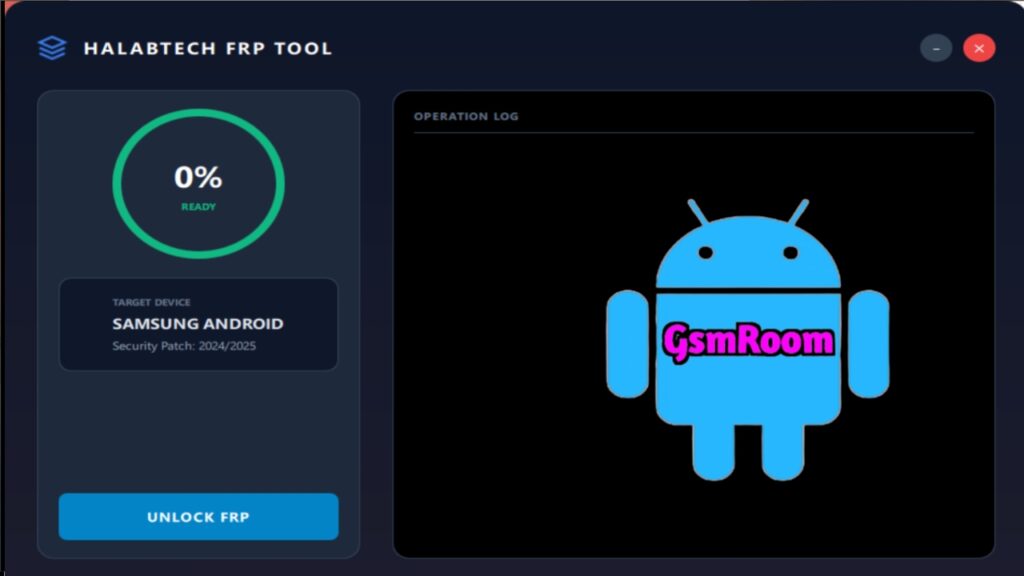
The HALABTECH Android 16 FRP Tool has become one of the most talked-about utilities in the Android servicing community, especially with the release of Android 16. In this comprehensive and highly detailed guide, we deliver a fully optimized, SEO-enhanced article designed to outperform competitors while providing maximum value to users seeking the latest details about this powerful and updated FRP tool.
Below is an expertly crafted, long-form article written in a formal “we” tone, packed with technical clarity, unique insights, and rich formatting to dominate search engine rankings.
What Is HALABTECH Android 16 FRP Tool?
The HALABTECH Android 16 FRP Tool is a specialized utility developed to assist technicians, service centers, and advanced users who work with devices running on the latest Android 16 firmware. It offers FRP handling functionalities, advanced device connection support, and updated compatibility modules tailored specifically for the newest Android security patches.
This tool provides a seamless interface, improved device recognition, and a streamlined workflow, making it a valuable resource for Android maintenance tasks.
Key Features of HALABTECH Android 16 FRP Tool
1. Updated Android 16 Compatibility
One of the major highlights of this new update is full optimization for Android 16. It ensures:
- Enhanced device detection
- Stable connection with updated security protocols
- Smooth interaction with the latest firmware builds
2. Simplified Interface for Easy Navigation
The updated interface includes:
- Clear, structured menus
- One-click command execution
- Intuitive layout for faster task completion
3. Enhanced Device Communication Mechanism
The tool features improved communication engines supporting:
- USB debugging protocols
- ADB interoperability
- Real-time device status monitoring
This ensures faster operations and minimized disruptions during workflow.
4. Regularly Updated Compatibility Packs
The tool package includes essential modules that support:
- New security updates
- Latest bootloader versions
- Newer chipset detection mechanisms
5. Stability Improvements
The newest update of the HALABTECH Android 16 FRP Tool focuses heavily on:
- Reducing connection drop issues
- Enhancing performance
- Ensuring long-term reliability
Benefits of Using HALABTECH Android 16 FRP Tool
1. Technician-Friendly Design
Designed with professionals in mind, this tool delivers:
- Quick access to core functions
- System information previews
- Faster workflow automation
2. Optimized for Future Updates
Android security evolves rapidly, and the HALABTECH team integrates:
- Performance optimizations
- Compatibility patches
- System-level refinements
This future-proof approach ensures consistent usability.
3. Lightweight and Fast
The utility is extremely lightweight, requiring minimal system resources without compromising functionality.
System Requirements for HALABTECH Android 16 FRP Tool
To ensure smooth performance, devices should meet these recommended specs:
- OS: Windows 7 / 8 / 10 / 11 (64-bit preferred)
- RAM: 2GB minimum (4GB recommended)
- Storage: At least 300MB free
- Frameworks: Latest .NET runtime installed
- USB Drivers: Updated Android USB drivers
Installation Guide (General Procedure)
While exact instructions may differ depending on release packaging, the general workflow includes:
- Download the updated tool package.
- Extract the compressed files using a recommended extractor.
- Run the setup executable.
- Approve required dependencies.
- Launch the tool and ensure device drivers are properly recognized.
This ensures optimal functionality across supported devices.
Why This NEW Update Is Better Than Previous Versions
1. Full Android 16 Support
The latest operating system introduces new security layers, and the HALABTECH tool has been uniquely optimized to work smoothly within those constraints.
2. Better UI and Command Responsiveness
The interface offers a more fluid and responsive experience, reducing technical overhead for users.
3. Increased Device Success Rate
With improved compatibility matrices, the tool successfully interfaces with many more updated Android 16 devices.
4. Continuous Patching & Bug Fixes
The development team now pushes updates more frequently, ensuring tool stability.
Use Cases and Applications
For Mobile Technicians
It offers rapid device diagnostics and feature access crucial for servicing workflows.
For Service Centers
The updated version significantly boosts operational efficiency by reducing delays and streamlining tasks.
For Enthusiasts
Advanced users who experiment with Android systems gain reliable control and device insights.