
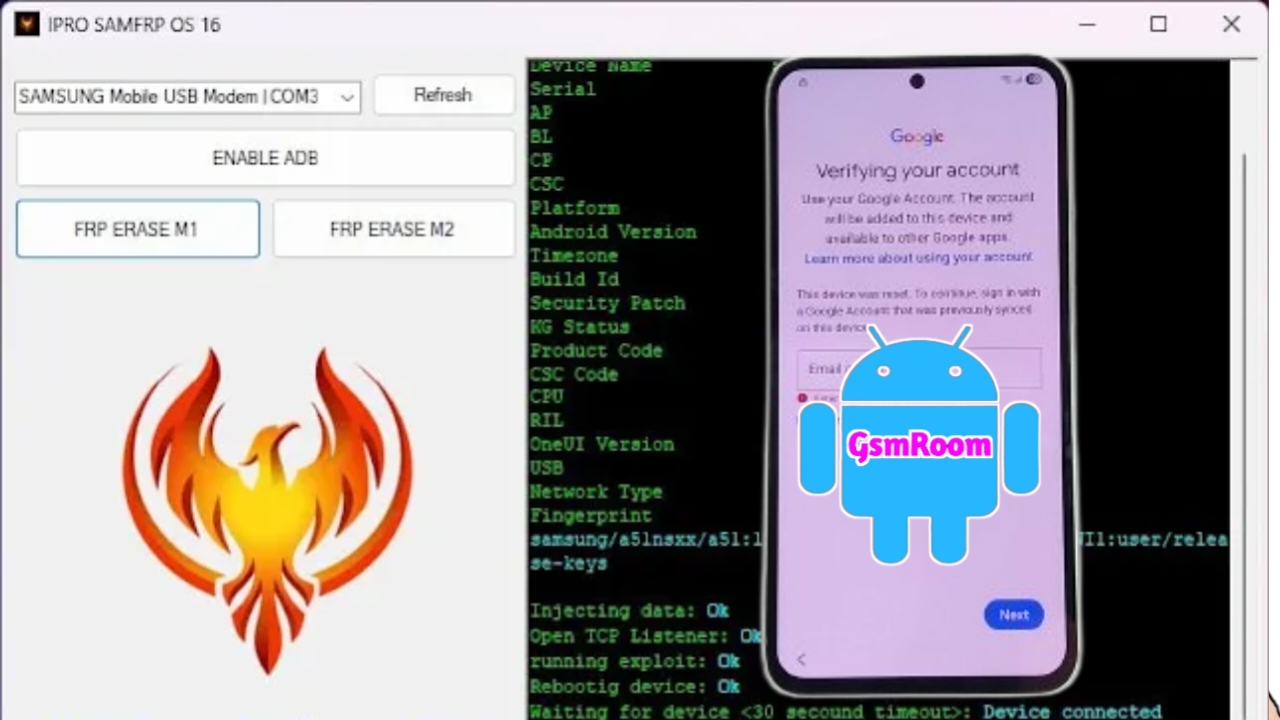
The IPRO SAMFRP OS 16 New Tool (2026 Edition) is a modern and highly optimized solution designed to remove Samsung FRP (Factory Reset Protection) on devices running the latest Android 16 / One UI-based systems. Built for speed, compatibility, and reliability, this tool has quickly become a preferred choice for mobile technicians, repair centers, and advanced Android users who need a dependable FRP unlocking utility without complex setup or paid activation.
This in-depth guide explains everything about IPRO SAMFRP OS 16, including features, supported devices, system requirements, installation steps, and why it stands out among other FRP tools in 2026.
What Is IPRO SAMFRP OS 16 Tool?
IPRO SAMFRP OS 16 is a Samsung-focused FRP bypass tool developed specifically for new-generation Samsung smartphones and tablets. It supports Android OS 16 security patches, making it one of the few tools capable of handling the latest Google account protection mechanisms.
The tool uses ADB, Download Mode, and emergency service protocols to safely remove FRP locks without flashing firmware or risking data corruption.
Key Features of IPRO SAMFRP OS 16 (2026)
Samsung FRP Bypass for Android 16
- Remove Google account lock on Samsung Android 16 devices
- Compatible with latest security patch levels
- Works after hard reset or forgotten Google ID
No Login & Free Usage
- No username or password required
- No dongle, credit, or online activation
- Completely free to download and use
Fast & Safe FRP Removal
- One-click FRP bypass method
- High success rate on new Samsung models
- Does not damage firmware or system partitions
Multiple Connection Modes
- Supports ADB Mode
- Supports Download Mode
- Smart auto-detection of connected devices
Lightweight & User-Friendly
- Simple interface suitable for beginners
- Fast execution with minimal system resource usage
- Ideal for service centers and home users
What’s New in IPRO SAMFRP OS 16 (2026 Version)?
The 2026 release introduces major improvements:
- Added support for Android OS 16
- Updated Samsung FRP algorithms
- Improved compatibility with One UI 7 & newer builds
- Faster device recognition
- Enhanced stability on Windows 11 systems
- Bug fixes from earlier versions
Supported Samsung Devices
IPRO SAMFRP OS 16 supports a wide range of Samsung smartphones and tablets, including:
- Samsung Galaxy A Series
- Samsung Galaxy M Series
- Samsung Galaxy S Series
- Samsung Galaxy Note Series
- Samsung Galaxy Tab Series
- New Exynos and Snapdragon-based Samsung models
System Requirements
To run IPRO SAMFRP OS 16 Tool smoothly, your PC should meet the following requirements:
- Operating System: Windows
- RAM: Minimum 4 GB
- Processor: Intel or AMD Dual Core or higher
- Storage: 200 MB free disk space
- Drivers: Samsung USB Drivers installed
- USB Cable: Original or high-quality data cable
How to Install IPRO SAMFRP OS 16 Tool
- Download IPRO SAMFRP OS 16 Tool (2026)
- Extract the ZIP file using WinRAR or 7-Zip
- Install Samsung USB Drivers if not already installed
- Disable antivirus temporarily (to avoid false positives)
- Run the tool as Administrator
- Connect your Samsung device via USB cable
How to Use IPRO SAMFRP OS 16 for FRP Bypass
- Power off the Samsung device
- Boot into Download Mode or ADB Mode
- Connect the device to the PC
- Open IPRO SAMFRP OS 16 Tool
- Click on Remove FRP
- Wait for the process to complete
- Reboot the device and set it up normally
Why Choose IPRO SAMFRP OS 16 Tool?
- Designed specifically for Samsung
- Supports latest Android 16 security
- Free and easy to use
- No flashing required
- High success rate in 2026
- Ideal for professional and personal use
Compared to generic FRP tools, IPRO SAMFRP OS 16 delivers better compatibility and reliability on modern Samsung devices.
Common Errors & Solutions
Device not detected
- Reinstall Samsung USB drivers
- Change USB port or cable
FRP removal failed
- Ensure correct mode (ADB or Download)
- Retry after rebooting the device
Tool not opening
- Run as administrator
- Temporarily disable antivirus
Is IPRO SAMFRP OS 16 Tool Safe?
Yes. When downloaded from a trusted source, IPRO SAMFRP OS 16 is safe to use. Antivirus software may flag it due to system-level operations, which is normal for FRP bypass utilities.