
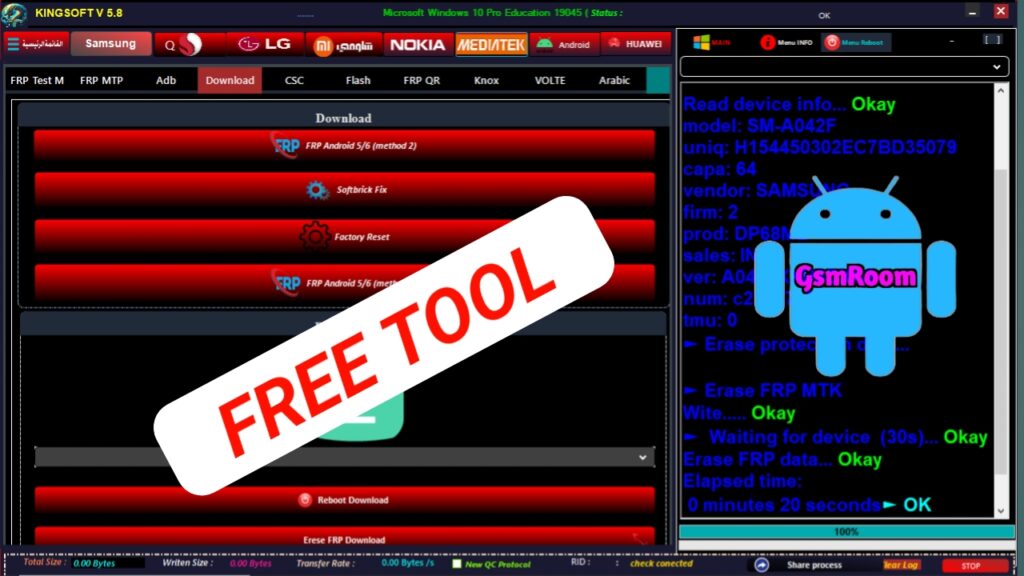
King Soft Team Tool V5.8 is a powerful Windows-based GSM servicing software used for FRP bypass, unlocking, flashing firmware, IMEI repair, and Android device fixing. The latest version brings improved compatibility, new features, and better performance for modern Android devices.
📌 What Is King Soft Team Tool V5.8?
King Soft Team Tool is a free Android repair tool designed to perform multiple operations with one-click solutions. It supports various chipsets like MediaTek, Qualcomm, Spreadtrum, and Kirin, making it useful for a wide range of smartphones.
⭐ Key Features
🔓 FRP Bypass (Main Feature)
- Remove Google Factory Reset Protection (FRP)
- Supports Samsung, Xiaomi, LG, and more
- Works via MTP, ADB, Download Mode, and EDL Mode
🔐 Unlock & Security Functions
- Remove Samsung account / Mi account
- KG / MDM bypass support
- Disable Knox security
- Network unlock (limited devices)
📱 Flashing & Repair Tools
- Flash firmware (Samsung, MTK, Qualcomm)
- Fix softbrick / bootloop issues
- Factory reset / wipe data
- Read device info and partitions
⚡ Advanced Chipset Support
- Qualcomm (EDL Mode) – flash, FRP, backup
- MediaTek (MTK) – auth bypass, FRP, format
- Spreadtrum / Unisoc support
- Kirin (Huawei) FRP section added in updates
🛠 Extra Utilities
- ADB via WiFi
- Enable/Disable drivers
- IMEI backup & restore
- Enable diagnostic mode
- Remove bloatware
🆕 What’s New in Version V5.8 (2026)
- Improved FRP bypass success rate
- Better UI/UX and faster performance
- Fixed bugs and connection issues
- Expanded support for more devices
📱 Supported Devices
King Soft Tool supports many Android brands:
- Samsung
- Xiaomi
- Redmi
- Poco
- Oppo
- Vivo
- Realme
- Huawei
- Honor
- Motorola
- Nokia
Support depends on chipset and Android security level.
📥 Download Information
Tool Name: King Soft Team Tool
Version: V5.8
Release Year: 2026
File Size: ~550 MB
Platform: Windows
License: Free
👉 To Download:
- Visit trusted GSM tool websites or forums
- Search for “King Soft Team Tool V5.8 Latest Version”
- Download and extract the ZIP file
⚠️ Always scan files before installation to avoid malware.
⚙️ How to Install & Use
- Download and extract the tool ZIP file.
- Run setup as Administrator.
- Install required USB drivers.
- Open the tool and click Login (pre-filled login).
- Connect your device via USB.
- Choose function (FRP, unlock, flash, repair).
📌 Summary
King Soft Team Tool V5.8 (2026) is a complete Android servicing solution offering FRP bypass, unlocking, flashing, and repair features. With support for multiple chipsets and one-click operations, it is widely used by technicians for fixing Android devices efficiently.