
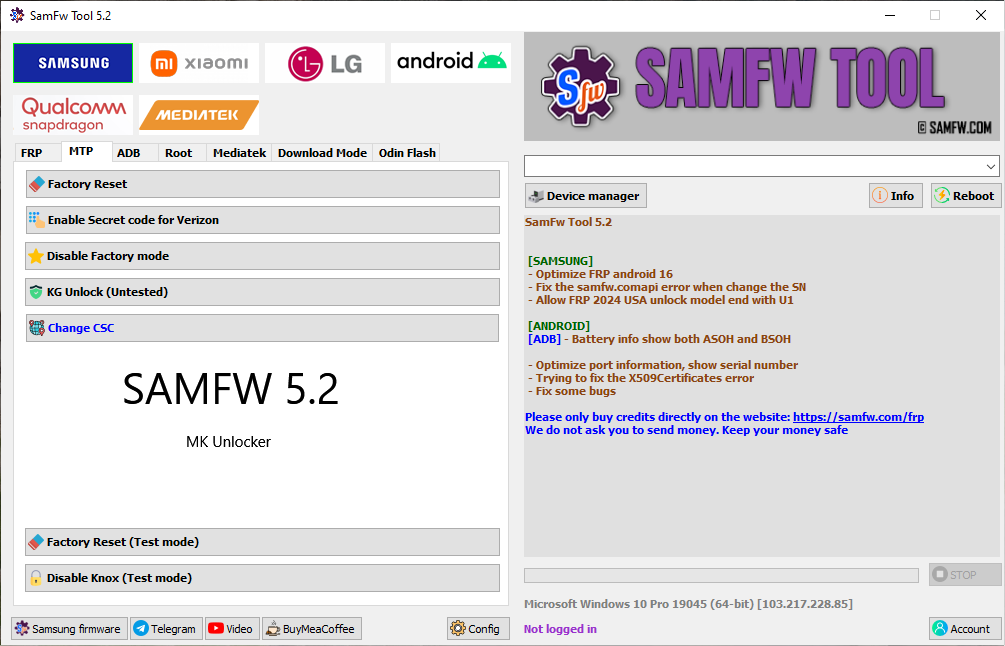
SamFw FRP Tool V5.2 (Latest Version) is a popular Windows-based Samsung utility designed for device information reading, firmware support, and FRP-related servicing assistance. The V5.2 update brings improved compatibility, better performance, and support for newer Samsung firmware, making it a widely discussed tool among mobile technicians and advanced users.
This version is available as a free download and is mainly used in authorized servicing and educational environments.
🔐 What Is SamFw FRP Tool?
SamFw FRP Tool is a lightweight Samsung-focused service utility that helps technicians interact with Samsung devices at a system level. The tool is known for its ability to detect FRP status, read device details, and assist in official recovery workflows depending on device security and ownership verification.
🚀 What’s New in SamFw FRP Tool V5.2?
- ✅ Improved compatibility with newer Samsung firmware
- ✅ Better detection for updated Android security patches
- ✅ Faster device recognition via USB
- ✅ Bug fixes and performance improvements
- ✅ Cleaner and more stable interface
- ✅ Works without paid activation
📱 Supported Samsung Devices
SamFw FRP Tool supports a wide range of Samsung smartphones and tablets, including:
- Galaxy A Series
- Galaxy M Series
- Galaxy S Series
- Galaxy Note Series
- Selected newer Samsung models
(Actual support depends on model, chipset, and firmware version.)
💻 System Requirements
To run SamFw FRP Tool V5.2 smoothly, you need:
- Windows 10 or Windows 11 (64-bit recommended)
- At least 4GB RAM
- Samsung USB Drivers installed
- Stable USB cable and connection
⭐ Why Choose SamFw FRP Tool V5.2?
SamFw FRP Tool remains popular because it:
- Is free to use
- Focuses specifically on Samsung devices
- Is lightweight and easy to run
- Receives frequent updates to match Samsung security changes
📌 Final Thoughts
If you are looking for a free Samsung service utility with FRP support, SamFw FRP Tool V5.2 Latest Version is a reliable option for authorized servicing, diagnostics, and learning purposes. Its improved stability and updated compatibility make it a useful tool in the modern Samsung ecosystem.