
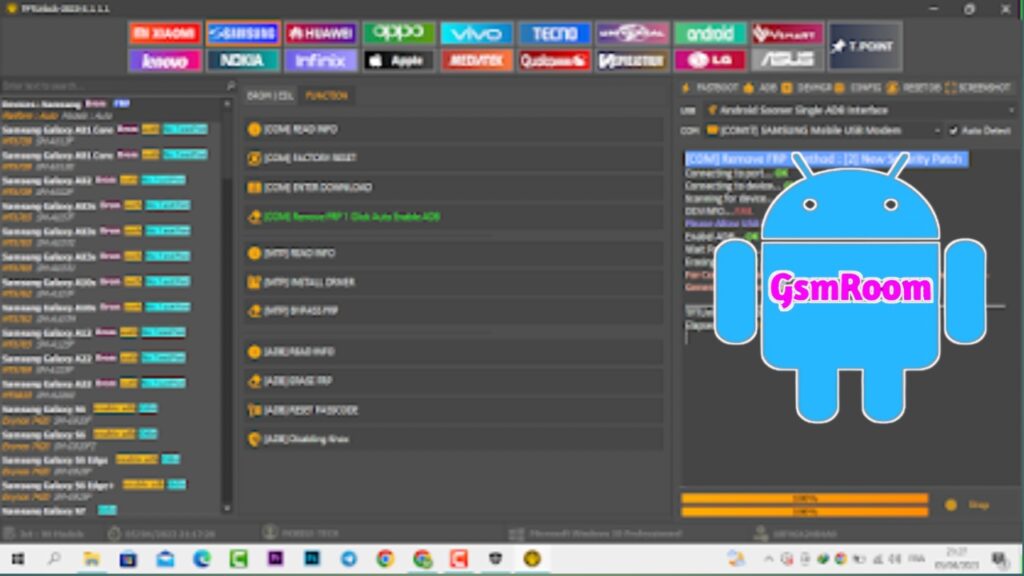
TFT Unlock Tool is a Windows software used by mobile technicians and advanced Android users to unlock, repair, and service Android devices. It combines multiple functions like FRP bypass, screen lock removal, firmware flashing, and IMEI repair into one tool.
📌 What Is TFT Unlock Tool?
TFT Unlock Tool is an all-in-one Android servicing and repair software. It is widely used to address software-level problems on smartphones, including:
- FRP bypass (remove Google account lock)
- Screen lock removal (PIN, pattern, password)
- Firmware flashing / OS installation
- IMEI repair or correction
- Bootloader unlock / relock
- Multi-brand support (Samsung, Xiaomi, Oppo, Vivo, Realme, etc.)
- Chipset compatibility: Qualcomm, MediaTek (MTK), UNISOC, SPD and others
The tool is updated periodically to support newer Android devices and security patches. The most recent major release available online is v6.2.1.1, marked as the latest version in 2025/2026.
⭐ Key Features of TFT Unlock Tool
✔ FRP Bypass – Remove Factory Reset Protection locks
✔ Screen Lock Removal – Clear system locks (pattern, PIN, password)
✔ Firmware Flashing – Flash official or custom firmware
✔ IMEI Repair – Repair invalid or null IMEI
✔ Bootloader Unlock / Relock
✔ Multi-Brand Support (Samsung, Xiaomi, Oppo, Vivo, Realme)
✔ Chipset Support (Qualcomm, MTK, UNISOC, SPD)
✔ Regular Updates with new device compatibility
These features make TFT Unlock Tool useful as a one-stop solution for many Android software repair needs.
📥 Latest Version – Free Download Info
The commonly shared versions available for free download online include:
✅ TFT Unlock Tool v6.2.1.1 – Latest major update, broader device support
📌 Older versions circulating online include v5.0.0.0 and v4.6.4.4 (useful if newer versions don’t work on older devices)
⚠️ Keep in mind that many “free download” links are shared through third-party sites. Always download from official or trusted sources to avoid malware or harmful software.
📌 How It Typically Works
- Install USB drivers on your Windows PC.
- Run/tf unlock tool as Administrator.
- Connect your Android device via USB.
- Select the desired function (FRP remove, screen lock remove, firmware flash, etc.).
- Click Start/Run and wait for the tool to complete.
Exact instructions depend on the specific function and device model.
PASSWORD – 123
PASSWORD – TFT