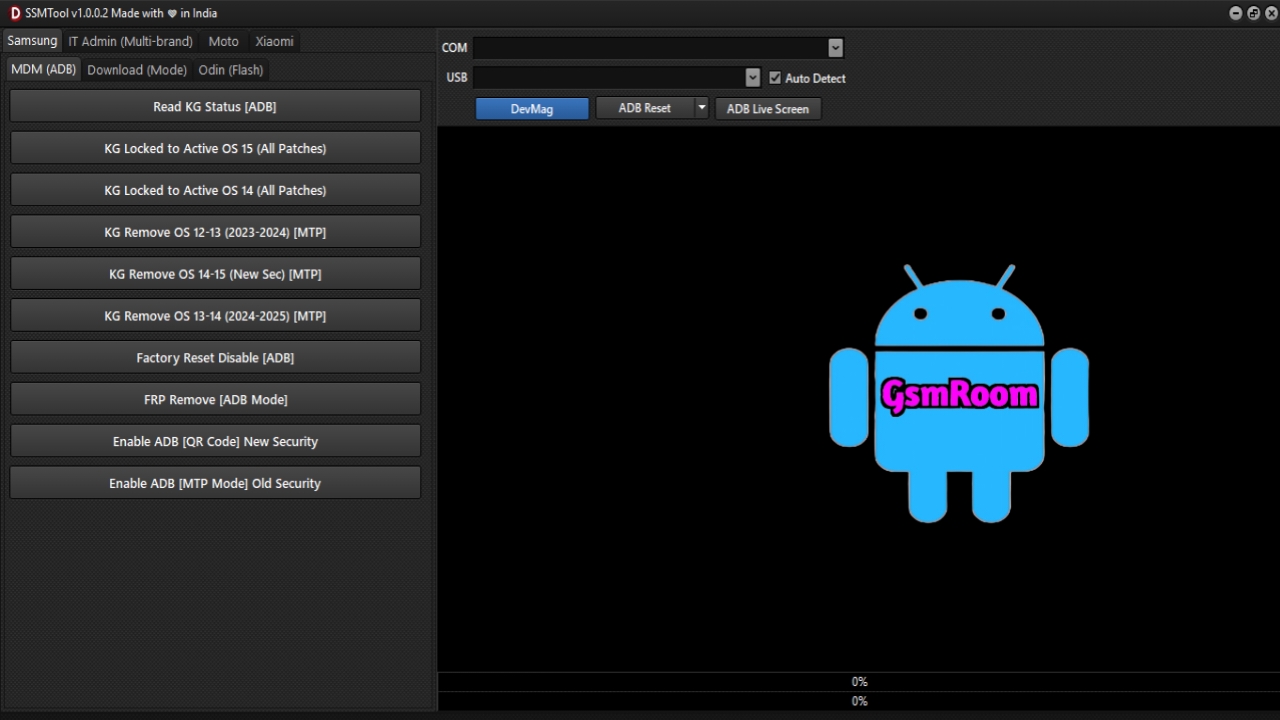
In 2025, the SSM Tool V1.0.2 has quickly become one of the most reliable and efficient tools for mobile technicians and service centers. This latest release brings cutting-edge repair features, making it easier to flash, unlock, and repair smartphones from popular brands like Samsung, Xiaomi, and Motorola. Designed with both professionals and beginners in mind, SSM Tool V1.0.2 helps save valuable time while ensuring seamless compatibility with the latest Android versions.
Introduction to SSM Tool V1.0.2
The SSM Tool V1.0.2 is an all-in-one mobile repairing utility that combines essential functions into a single platform. Unlike older tools that often required multiple steps or third-party add-ons, this version integrates advanced capabilities for firmware flashing, FRP bypass, IMEI repair, and screen lock removal. With expanded support for Android 13, 14, and 15, technicians can confidently service even the newest devices equipped with the latest security patches.
Whether you’re running a professional service center or working as an independent mobile technician, SSM Tool V1.0.2 ensures fast, reliable, and secure repair solutions without unnecessary complexity.
Key Features of SSM Tool V1.0.2
1. FRP Bypass (Google Account Removal)
- Enables technicians to remove Factory Reset Protection (FRP) from supported devices.
- Essential for restoring usability after forgotten Google account credentials.
- Compatible with newer Samsung, Xiaomi, and Motorola devices.
2. Firmware Flashing Support
- Provides one-click flashing for Samsung, Xiaomi, and Motorola phones.
- Helps restore bricked devices, fix boot loops, or update to the latest firmware.
- Supports official stock ROMs for maximum stability.
3. Bootloader Unlocking
- Updated unlocking methods ensure support for newer Android devices.
- Allows installation of custom ROMs or rooting (for advanced users).
4. Password and Screen Lock Removal
- Helps remove forgotten PINs, patterns, or passwords.
- Useful for users locked out of their devices.
- Designed to preserve data where possible.
5. IMEI and Network Repair
- Includes tools to repair or restore IMEI numbers and baseband issues.
- Fixes common network-related errors (where legally permitted).
6. Wide Android Compatibility
- Fully supports Android 13, 14, and 15, including the newest updates.
- Ensures seamless operation even with advanced security patches.
7. User-Friendly Interface
- Clean and simple layout, making it accessible for both beginners and experts.
- Integrated device detection and driver installation to avoid manual setup.
Why SSM Tool V1.0.2 is Popular in 2025
The rise in Android security updates has made many older tools outdated. SSM Tool V1.0.2 is highly valued because it:
- Saves time with automated repair features.
- Covers more devices compared to other utilities.
- Adapts to new Android versions, staying ahead of the curve.
- Reduces risks of errors through user-friendly workflows.
Benefits for Mobile Technicians
- Efficiency: Reduces manual steps and speeds up repairs.
- Reliability: Consistently delivers results across supported brands.
- Cost-effective: Minimizes the need for multiple software tools.
- Future-proof: Remains compatible with new Android updates.
Safe Download and Usage Tips
While many websites may claim to offer the SSM Tool V1.0.2 for free, downloading from unverified sources can expose your computer and mobile devices to malware, spyware, or data theft. To ensure safety:
- Always use official or trusted platforms to download the tool.
- Avoid cracked or login-bypassed versions, as they may include hidden risks.
- Install the tool on a secure PC with updated antivirus protection.
- Follow step-by-step guides to prevent errors during use.
How to Use SSM Tool V1.0.2 (Basic Steps)
- Install necessary USB drivers for your device (Samsung, Xiaomi, or Motorola).
- Download and install SSM Tool V1.0.2 on your PC.
- Connect your device via USB in the required mode (ADB, Fastboot, or Download mode).
- Select the desired function (e.g., FRP bypass, flashing, lock removal).
- Follow on-screen instructions until the process completes.
- Restart the device and verify that the repair was successful.
Precautions Before Using SSM Tool V1.0.2
- Backup all data if possible, as some operations may cause data loss.
- Check device compatibility to avoid bricking.
- Understand local laws, especially regarding IMEI modification.
- Ensure stable power supply during flashing or repair to prevent interruptions.
Alternatives to SSM Tool V1.0.2
- Samsung Odin Tool – For flashing Samsung firmware.
- Mi Flash Tool – Official tool for Xiaomi fastboot ROMs.
- Motorola Rescue and Smart Assistant – For Motorola device repairs.
- SP Flash Tool – For MediaTek-powered devices.
Conclusion
The SSM Tool V1.0.2 (2025) is a game-changer for mobile repair professionals, offering unmatched support for Samsung, Xiaomi, and Motorola devices running Android 13, 14, and 15. Its advanced features, simple interface, and reliable performance make it the go-to tool for technicians seeking efficiency and accuracy.
However, users should always download from trusted sources and follow best practices to avoid risks. With proper use, SSM Tool V1.0.2 can save time, improve productivity, and ensure successful mobile repairs.
SSM Tool V1.0.2 :- [ Link ]







