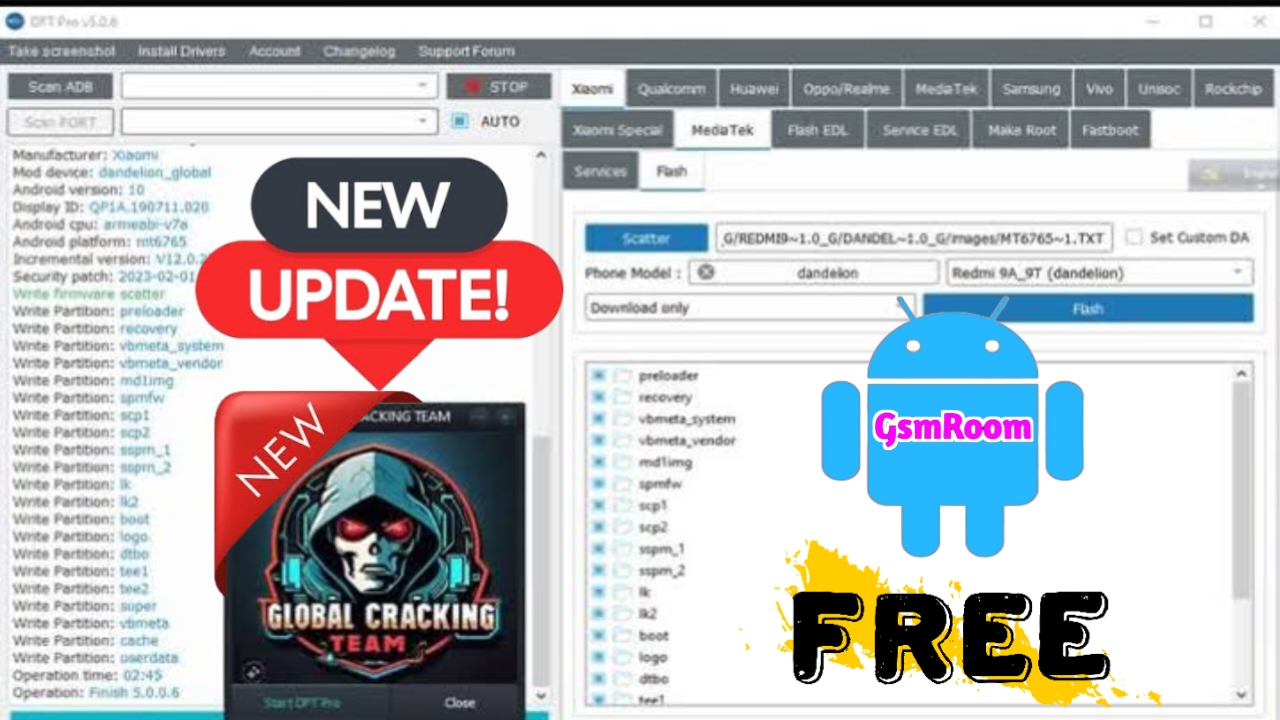
The DFT Pro New Loader Free Global Team is the latest, most advanced tool designed to simplify smartphone servicing, flashing, unlocking, and firmware repair. In 2025, this tool has become one of the most reliable and powerful solutions for both beginners and professionals in mobile software maintenance. Its updated setup includes enhanced compatibility, faster performance, and support for the latest Android smartphones across multiple brands.
What Is DFT Pro New Loader Free Global Team?
The DFT Pro New Loader Free Global Team is a specialized Windows-based software utility developed for mobile flashing, unlocking, IMEI repair, FRP removal, and firmware updates. It supports a wide range of devices including Xiaomi, Samsung, Vivo, Oppo, Realme, and Huawei, providing users with professional-level repair capabilities from a single platform.
With the new 2025 version, DFT Pro introduces improved global server connectivity, better driver management, and multi-language support—making it the ideal choice for technicians around the world.
Key Features of DFT Pro New Loader 2025
The latest version of DFT Pro New Loader brings an impressive range of features that make it stand out among other flashing tools. Here are some of its most notable capabilities:
1. Universal Device Support
DFT Pro supports a wide variety of smartphones from major manufacturers such as Samsung, Xiaomi, Oppo, Vivo, Realme, Tecno, Infinix, and Huawei. This universal support ensures users can manage multiple brands without needing different tools.
2. FRP and Mi Account Bypass
With its advanced FRP (Factory Reset Protection) bypass feature, users can easily remove Google account locks from supported devices. It also supports Mi Account bypass for Xiaomi and Poco phones, allowing easy recovery access.
3. Flashing and Firmware Updates
The DFT Pro Loader provides full firmware flashing capabilities with automatic partition detection. It can handle scatter, XML, and OFP firmware formats, ensuring seamless performance for both Qualcomm and MediaTek devices.
4. IMEI Repair and Network Fix
The new loader version enables safe IMEI repair, network unlocking, and modem configuration on supported chipsets, ensuring stable connectivity after repair operations.
5. Global Server Connection
One of the biggest upgrades in 2025 is the DFT Global Server Integration, which allows users to connect securely, authenticate licenses, and download firmware or loader updates directly from the cloud.
6. User-Friendly Interface
The interface has been redesigned for simplicity, offering an intuitive experience with categorized tabs and automatic device detection. Even new users can navigate it with ease.
7. Regular Updates and Support
The DFT Pro Global Team frequently releases updates that include new device models, enhanced flashing speed, and bug fixes—ensuring continued reliability.
New Improvements in the 2025 Update
The 2025 DFT Pro New Loader introduces a series of critical improvements over previous versions:
- Optimized performance for Windows 10 and Windows 11 (64-bit)
- Support for the latest Android 14 firmware
- Enhanced loader module for MTK and Qualcomm processors
- Integrated boot repair and auto-driver installation
- Offline activation system for professional users
These updates make the DFT Pro New Loader one of the most complete tools in the mobile servicing ecosystem today.
System Requirements for Installation
Before installing the DFT Pro New Loader Global Team version, ensure that your computer meets the following system requirements:
- Operating System: Windows 10 / Windows 11 (64-bit recommended)
- Processor: Intel or AMD Dual-Core or higher
- RAM: Minimum 4GB (8GB recommended)
- Hard Disk Space: 500MB free
- USB Drivers: Latest Qualcomm and MediaTek drivers
- Internet Connection: Required for license activation and online updates
How to Install DFT Pro New Loader Full Setup
Follow these simple steps to install and set up the DFT Pro New Loader Free Global Team (2025) on your PC:
- Download the official setup file from the trusted DFT Global Team source.
- Extract the ZIP file using WinRAR or 7-Zip.
- Run the installer as Administrator.
- Install required USB drivers (MediaTek, Qualcomm, or Samsung).
- Launch the DFT Pro Loader after installation.
- Login or activate your license key (if required).
- Choose your operation (Flash / Unlock / FRP / Repair) and start the process.
Advantages of Using DFT Pro New Loader 2025
- Free global access without regional restrictions
- Faster and safer flashing operations
- Support for new chipsets and Android versions
- Regular feature updates and bug fixes
- Easy-to-use interface suitable for beginners and experts
- Offline working capability for advanced users
- Lightweight tool with low CPU usage
Troubleshooting Common Errors
- Driver Not Detected: Reinstall USB drivers and restart the PC.
- License Not Active: Connect to the internet and re-authenticate.
- Flashing Error: Check the firmware version compatibility and use the correct cable.
- Device Not Found: Ensure your phone is in correct mode (EDL/Fastboot).
DFT Pro New Loader 2025 – Final Verdict
The DFT Pro New Loader Free Global Team (2025) stands as one of the most efficient and comprehensive mobile repair tools in the market. Whether you’re handling flashing, FRP bypass, IMEI repair, or unlocking tasks, this utility delivers professional-grade results. With continuous updates, broad device compatibility, and a clean interface, it remains a must-have solution for mobile technicians across the globe.
If you’re looking for a free, reliable, and powerful mobile servicing tool, the DFT Pro New Loader 2025 is undoubtedly the right choice for you.
PASSWORD :- Global_Cracking_Team







