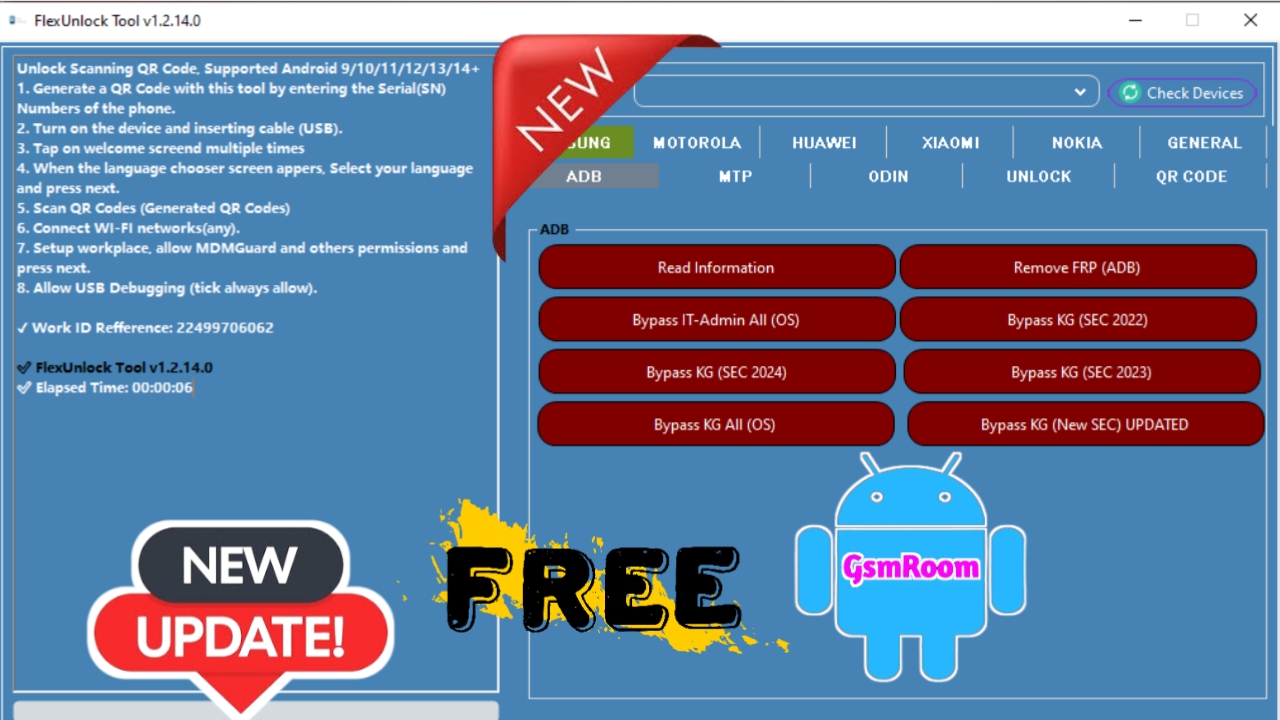
If you are searching for a powerful mobile unlocking software that can bypass FRP, remove screen locks, and handle multiple device brands without hassle, the FlexUnlock Tool is the ultimate solution for you. In this comprehensive guide, we will cover everything about the FlexUnlock Tool Free Download, its features, supported devices, installation process, and how you can get lifetime access completely free.
Table of Contents
What is FlexUnlock Tool?
FlexUnlock Tool is a multi-brand mobile service utility designed for professional technicians and GSM developers. It provides complete unlocking, flashing, and repair capabilities for Android smartphones running on Qualcomm, MediaTek (MTK), Spreadtrum (SPD), and other popular chipsets.
With its simple user-friendly interface, this tool allows users to remove FRP locks, pattern locks, MDM locks, and perform IMEI repair, factory reset, and bootloader unlocks across a wide range of devices. Whether you are handling Samsung, Xiaomi, Vivo, Oppo, Realme, or Huawei, FlexUnlock Tool supports them all.
Key Features of FlexUnlock Tool
The FlexUnlock Tool comes loaded with cutting-edge features that make it one of the most powerful GSM tools available for technicians. Below are its main highlights:
1. FRP (Factory Reset Protection) Bypass
Unlock Google account verification on various Android devices without needing additional applications or APKs. Supports both ADB and Fastboot modes.
2. Remove Screen Lock / Pattern / PIN
Easily remove forgotten passwords, patterns, and PIN locks from Android devices while keeping user data intact on supported models.
3. MDM / Knox / Security Lock Bypass
Bypass Mobile Device Management (MDM) or Knox protection on Samsung and other enterprise devices safely without flashing stock firmware.
4. IMEI Repair and Backup
Support for IMEI backup, restore, and repair for Qualcomm and MTK devices. This feature ensures your phone maintains proper network registration after repair.
5. Bootloader Unlock / Relock
Unlock or relock the bootloader for Android phones to install custom ROMs or stock firmware updates.
6. Read and Write Firmware
The FlexUnlock Tool allows you to read, write, and flash complete firmware packages efficiently, ensuring minimal risk of soft brick or data loss.
7. Compatibility with Multiple Chipsets
Supports Qualcomm, MediaTek (MTK), Unisoc (SPD), and Exynos processors, covering nearly 90% of Android smartphones in the market.
8. Lifetime Free Login
One of the most attractive features of this tool is its lifetime free login—no need to buy activation codes or renewal plans. Once activated, you can use it forever without restrictions.
Supported Brands
The FlexUnlock Tool supports a massive list of popular Android brands. Here are some of the major ones:
- Samsung – FRP, MDM, Factory Reset, and ADB Unlock.
- Xiaomi / Redmi / Poco – FRP, Mi Account Remove, Bootloader Unlock.
- Oppo / Realme / Vivo – Pattern, FRP, and Lock Screen Reset.
- Huawei / Honor – FRP bypass, OEM Unlock, and Flash Functions.
- Infinix / Tecno / Itel – SPD and MTK Operations Supported.
- Nokia / Lenovo / Motorola / LG – Fastboot and ADB Unlock Support.
System Requirements
Before installing, make sure your PC meets the following minimum system requirements for smooth operation:
- Operating System: Windows
- RAM: Minimum 4GB (8GB recommended)
- Storage: 500MB of free space
- Processor: Intel or AMD Dual Core or higher
- USB Drivers: Properly installed MTK, Qualcomm, and SPD USB Drivers
How to Install FlexUnlock Tool
Follow these steps to successfully install and activate the FlexUnlock Tool Free Version on your computer:
Step 1: Download FlexUnlock Tool
- Download the latest version of FlexUnlock Tool from a trusted GSM source or official team page.
- The file will be in a compressed ZIP or RAR format.
Step 2: Run the Setup File
- Open the extracted folder and run the FlexUnlock.exe or Setup.exe file as Administrator.
- Follow on-screen instructions to complete the installation.
Step 3: Login with Lifetime Access
- After installation, open the tool.
- You will get a default lifetime login that requires no registration key.
- Click on “Login” to enter the main dashboard.
Step 4: Connect Device and Start Operation
- Choose the operation (FRP, Unlock, Flash, etc.) and click Start.
Advantages of Using FlexUnlock Tool
- Completely Free: No activation fee or subscription.
- Lifetime Login: One-time setup, permanent access.
- Regular Updates: Constant support for new devices and firmware.
- User-Friendly Interface: Simplified design suitable for both beginners and professionals.
- Safe and Secure: Uses verified protocols to prevent data corruption.
Why Technicians Prefer FlexUnlock Tool
Professional GSM repairers and service centers prefer FlexUnlock Tool for its reliability and compatibility. It reduces the need for multiple utilities by integrating all core mobile servicing features in a single application.
Moreover, since it offers lifetime free access, it’s ideal for small repair shops and freelancers who want to save money without compromising on performance.
Troubleshooting Tips
If you face any issues while using FlexUnlock Tool, try these steps:
- Ensure USB debugging is enabled on the device.
- Reinstall USB drivers for proper connectivity.
- Disable Windows Defender or antivirus temporarily if it blocks the tool.
- Use the latest version for updated model support.
- Run the tool as Administrator for best performance.







