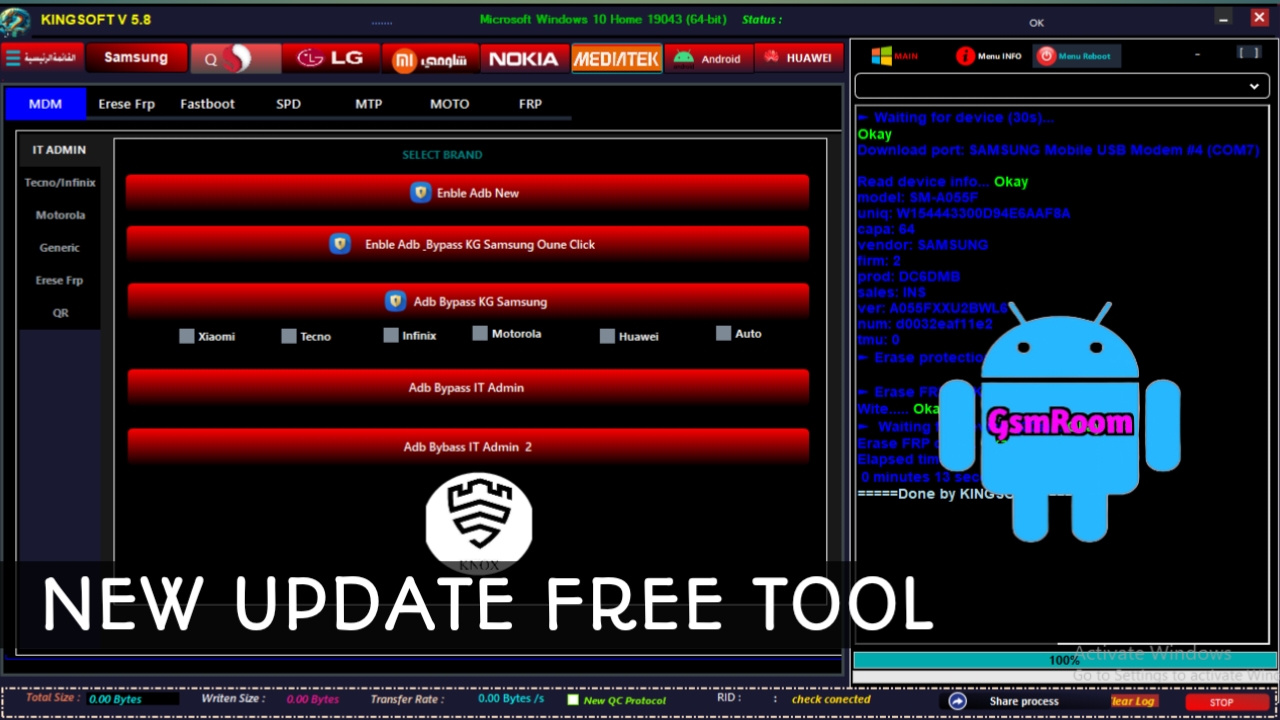
In the fast-evolving world of mobile repair and software flashing, having a reliable tool that can handle multiple brands and chipsets is essential. The King Soft Team Tool (KST) is one such advanced multi-brand solution, designed to simplify complex repair operations with just a few clicks. In this comprehensive guide, we’ll explore everything you need to know about the King Soft Team Tool latest version, its features, supported devices, installation process, and how to download it safely for free.
Table of Contents
What Is King Soft Team Tool?
The King Soft Team Tool Latest Version is a powerful multi-functional mobile repairing and servicing software that supports a wide range of Android smartphones. Developed by the King Soft Team, it provides a user-friendly interface and advanced features to manage, repair, and unlock various devices running on Qualcomm, MediaTek (MTK), and SPD (Spreadtrum) chipsets.
This all-in-one solution is especially popular among professional GSM technicians and advanced users looking to perform functions like FRP (Factory Reset Protection) removal, IMEI repair, bootloader unlocking, and firmware flashing.
Key Features of King Soft Team Tool Latest Version
The newest version of King Soft Team Tool Latest Version(2025 Update) brings several improvements in performance, compatibility, and user experience. Here are the standout features:
1. FRP Unlock (Factory Reset Protection)
With King Soft Team Tool, you can bypass FRP locks on Samsung, Xiaomi, Vivo, Oppo, and many other brands within seconds. It supports both ADB and fastboot methods, making the process faster and safer.
2. IMEI Repair and Write Function
The tool allows users to repair or write IMEI numbers on devices with corrupted or invalid IMEI. It fully supports MTK, SPD, and Qualcomm platforms.
3. Flash Firmware Easily
You can flash stock firmware files using scatter, PAC, or MBN format depending on the chipset. This feature helps restore bricked or bootloop devices quickly.
4. Bootloader Unlock and Relock
King Soft Team Tool enables users to unlock and relock the bootloader of supported devices. This is useful for installing custom ROMs or restoring to factory security.
5. Remove Pattern, PIN, and Password Locks
Forgot your screen lock? With the King Soft Team Tool Latest Version, you can remove pattern, PIN, or password locks without losing important data in most cases.
6. Root and Unroot Android Devices
It provides one-click root and unroot options, compatible with a variety of Android versions, ensuring flexibility for both novice and professional users.
7. Backup and Restore
Before performing major operations, the tool allows users to create full backups of device partitions and data to prevent data loss.
8. Compatibility with Latest Android Versions
The latest King Soft Team Tool supports Android 5.0 to Android 14, ensuring full compatibility with the latest smartphones and security patches.
Supported Chipsets and Brands
The King Soft Team Tool latest version offers broad support across major hardware platforms and mobile brands.
Supported Chipsets:
- MediaTek (MTK)
- Qualcomm Snapdragon
- SPD (Spreadtrum/Unisoc)
- Exynos (Limited support)
Supported Brands:
- Samsung
- Xiaomi
- Vivo
- Oppo
- Realme
- Infinix
- Tecno
- Huawei
- Nokia (Android-based)
- Itel, Lava, Micromax, and many more.
How to Install King Soft Team Tool on Windows PC
- Download the latest King Soft Team Tool setup file from a trusted source.
- Extract the ZIP or RAR file using WinRAR or 7-Zip.
- Run the installer as Administrator to begin installation.
- Follow the on-screen instructions and complete the setup process.
- After installation, launch the tool from the desktop shortcut.
- If required, activate the tool using the provided license or free activation method.
- Connect your device via USB and ensure proper drivers are installed.
Once set up, you can immediately start performing operations like FRP removal, flashing, unlocking, and more.
How to Use King Soft Team Tool
- Launch King Soft Team Tool on your PC.
- Connect your smartphone in the correct mode:
- MTK → Preloader mode
- Qualcomm → EDL (9008) mode
- SPD → Flash mode
- Wait for the software to detect your device automatically.
- Select the desired operation, such as Remove FRP, Write IMEI, or Flash Firmware.
- Click Start and wait until the process completes.
- Disconnect the device and reboot it normally.
Tip: Always back up your data before performing any software modifications.
King Soft Team Tool Latest Version Free Download (2025 Update)
Why Choose King Soft Team Tool?
There are dozens of mobile repair utilities available, but the King Soft Team Tool Latest Version stands out due to its simplicity, versatility, and reliability. Whether you are a beginner or an experienced technician, you’ll appreciate its all-in-one functionality and regular updates.
Advantages include:
- Free and easy to use
- Wide chipset and brand compatibility
- Fast and secure repair operations
- Regular updates and bug fixes
- Lightweight and stable performance







