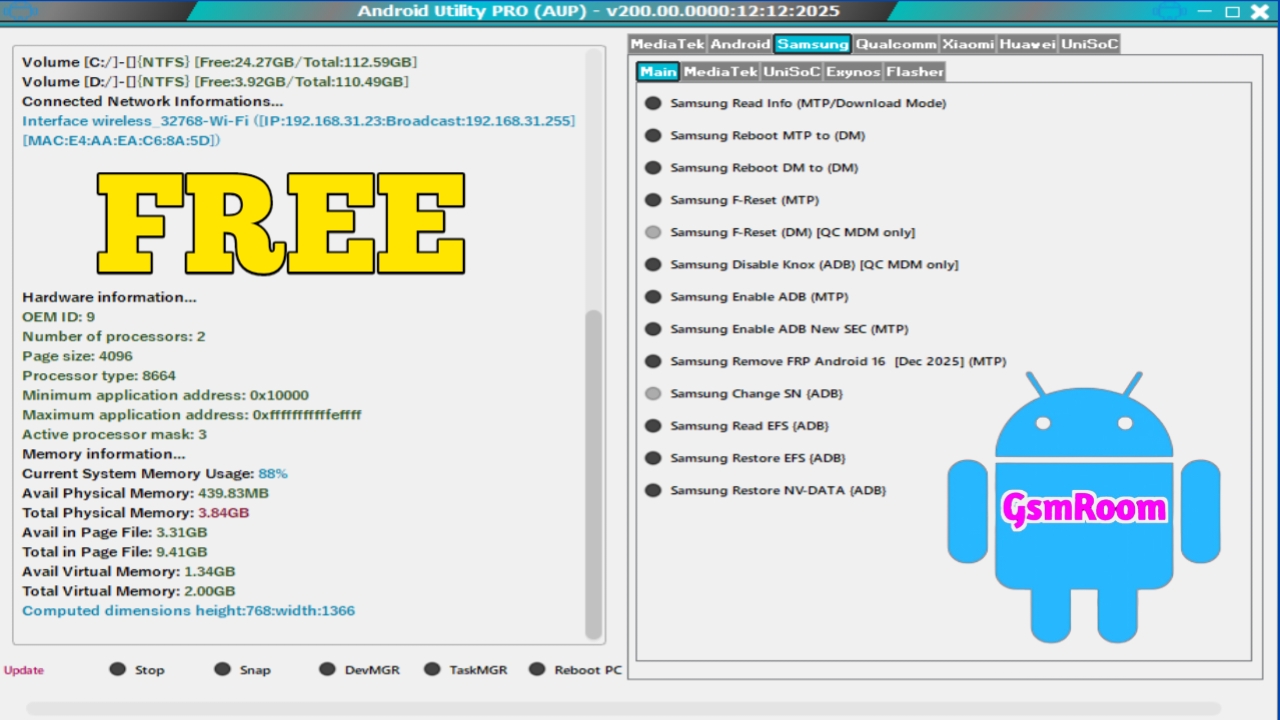
The Android Utility Tool V200.00.0000 is one of the most searched utility names among Android users, mobile technicians, and repair enthusiasts looking for simplified device management solutions. While many websites claim to offer a “No Login Required – Free Download” version, it is extremely important to understand what this software represents and how to work safely with Android maintenance utilities in 2026.
This guide provides safe, informational, and legal insights without promoting unofficial or harmful files.
⭐ What Is Android Utility Tool V200.00.0000?
The term Android Utility Tool refers broadly to third-party diagnostic utilities designed to assist with:
- ADB & Fastboot operations
- Driver installation
- Device detection
- Firmware information
- Software troubleshooting
- Basic device maintenance
These tools attempt to combine multiple functions into one interface, making them popular among technicians—but they are not official tools from Samsung, Xiaomi, Vivo, Oppo, Motorola, or Google.
They are independent utilities created by external developers.
❗ Why “No Login Free Download” Versions Are Risky
Many websites advertise:
- Android Utility Tool V200.00.0000 No Login
- Free Universal Android Tool
- All-in-One Android Repair Tool
- Unlock / FRP / Flash Tools
- Modified “Cracked” Utilities
These are unofficial, often unverified copies and may contain:
- Malware
- Hidden scripts
- Device-damaging commands
- Fake drivers
- Security bypass attempts that can lock the device
Android 14, 15, and 16 security updates make unofficial bypass tools even more dangerous in 2026.
🚫 What You Should Not Use These Tools For
Unofficial Android tools should NOT be used for:
- FRP bypass
- Google account removal
- Network unlocking
- Samsung Knox bypass
- Bootloader unlocking without permission
- IMEI-related operations
These actions are unsafe, illegal in many areas, and can permanently damage the phone.
✅ Safe, Official Alternatives (2026 Updated)
Rather than using unofficial utilities, every brand provides its own authorized and safe tools.
1. Samsung Official Tools
- Samsung Smart Switch
- Samsung USB Drivers
- Samsung Members app
- Odin (Service Center use only)
2. Xiaomi / Redmi / POCO
- Mi Flash Tool
- Mi Unlock Tool
- Mi Assistant
3. Oppo / Realme / OnePlus
- Official DownloadTool (Service Centers)
- Developer-authorized MTK Tools
4. Vivo / iQOO
- Vivo AFTools (Authorized Only)
5. Motorola
- Rescue and Smart Assistant (RSA)
6. Google Pixel
- Android Flash Tool (Official Fastboot Web Tool)
All these options are safe, secure, and supported.
⭐ Features Typically Found in Tools Like Android Utility Tool V200.00.0000
Although unofficial, these tools usually include:
✔ ADB Functions
- Device check
- Reboot commands
- Logcat monitoring
✔ Fastboot Utilities
- Bootloader status
- Partition checks
- Flash commands (only if OEM-allowed)
✔ Drivers & Connectivity
- Qualcomm USB drivers
- MediaTek drivers
- Universal USB drivers
✔ System Info Tools
- Build information
- Kernel version
- Security patch level
These features help in diagnostics—but should be used carefully.
🔐 Safety Tips When Using Android Utilities
To work safely:
- Always use official OEM tools
- Avoid “cracked” or “bypass” utilities
- Don’t install random drivers from unknown sources
- Use only firmware approved for your device model
- Backup data before any advanced operation
- Avoid using tools for security unlocks
These steps prevent data loss and device damage.
🔰 Why OEM Tools Are Safer Than Unofficial Utility Tools
| Feature | Official Tools | Unofficial Tools |
|---|---|---|
| Security | High | Low |
| Warranty Status | Safe | Voids Warranty |
| Malware Risk | None | High |
| Compatibility | Excellent | Uncertain |
| Updates | Regular | Rare |
| Support | Full OEM Support | None |
OEM tools follow Google’s and manufacturer’s security standards, ensuring maximum safety.
⭐ Should You Download Android Utility Tool V200.00.0000?
If the tool is unofficial, modified, or includes bypass features, it is not recommended for safety and legality reasons.
The better solution is always:
✔ Use brand-specific official tools
✔ Follow documented OEM procedures
✔ Avoid FRP or security bypass utilities
✔ Stick to tools that maintain—NOT break—security
Password= mfdl







