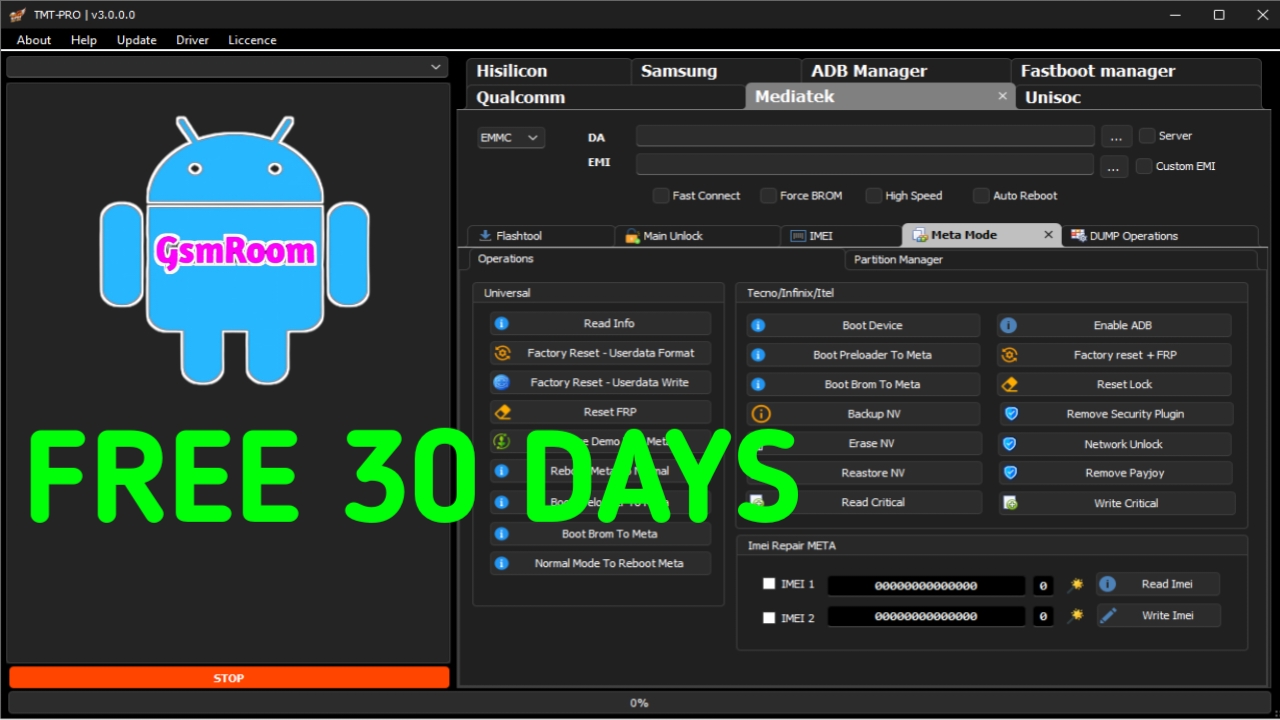
TMT PRO TOOL (2026 Edition) is a professional Android servicing and unlocking utility designed for mobile repair technicians and advanced Android users. The FREE 2026 version provides 30 days login access for all users, allowing you to test premium features without purchasing a dongle or paid subscription.
This tool is commonly used for FRP removal, flashing, account reset, and device diagnostics across multiple Android brands and chipsets.
🔧 What Is TMT PRO TOOL?
TMT PRO TOOL is a Windows-based software that performs Android service operations using:
- ADB Mode
- Fastboot Mode
- Download Mode
- MTK & Qualcomm Platforms
It is built to be fast, stable, and user-friendly, making it suitable for both beginners and professionals.
✅ Key Features of TMT PRO TOOL (FREE 2026)
- 30 Days FREE Login – All Users
- No Dongle / No Box Required
- FRP Remove & Factory Reset
- ADB & Fastboot Functions
- MTK and Qualcomm Chipset Support
- Flash Stock Firmware
- Read Device Information
- Simple & Clean Interface
- Stable Performance on Windows
📱 Supported Android Brands
TMT PRO TOOL supports many popular Android devices, including:
- Samsung
- Xiaomi
- Oppo
- Vivo
- Realme
- Huawei
- Infinix
- Tecno
- Motorola
- Nokia
Supported features may vary by model and Android security patch.
🆕 What’s New in TMT PRO TOOL 2026?
- Improved FRP and reset methods
- Faster ADB device detection
- Bug fixes and better overall stability
- Updated brand and chipset modules
💻 System Requirements
- Windows ALL
- Minimum 4GB RAM
- Latest Android USB Drivers
- Internet connection (required for login verification)
- USB Debugging enabled (for ADB operations)
🛠️ How to Use TMT PRO TOOL (Basic Steps)
- Download and extract TMT PRO TOOL FREE 2026
- Disable antivirus temporarily if blocked (false positives possible)
- Install required USB drivers
- Run the tool as Administrator
- Login to activate 30-day free access
- Connect your Android device in the correct mode
- Select the desired function and start the process
⚠️ Important Notes
- Always backup important data before using the tool
- Free login is valid for 30 days only
- Some features require an active internet connection
- Use the tool only for legal and authorized servicing
⭐ Why Choose TMT PRO TOOL FREE 2026?
- Free 30-day access for all users
- No hardware dongle required
- Supports multiple Android brands and chipsets
- Ideal for testing before purchasing full access
- Suitable for repair shops and individual users
📌 Final Conclusion
TMT PRO TOOL Free Download With Login (30 Days – All Users) FREE 2026 is a reliable choice if you want to test a feature-rich Android service tool without upfront costs. With wide device support and a clean interface, it’s well-suited for both personal and professional use.







