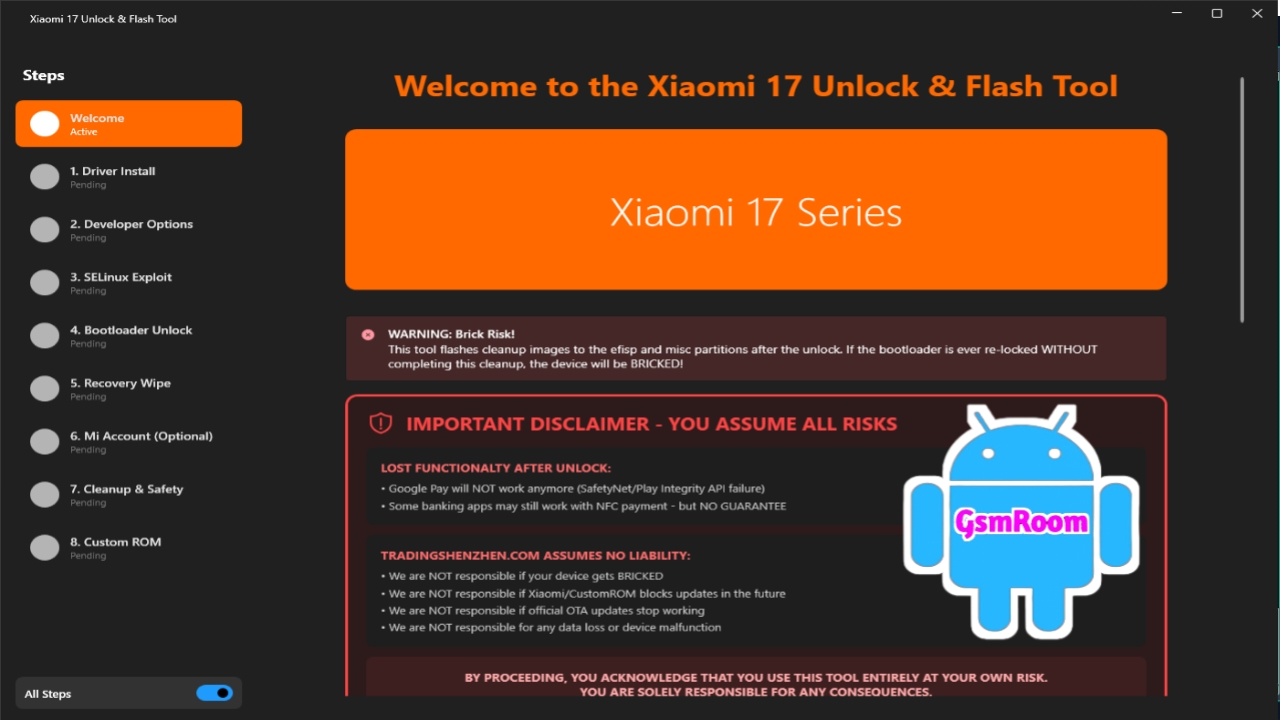
Xiaomi 17 Series Unlock & Flash Tool?
The Xiaomi 17 Series Unlock Tool is an all-in-one mobile servicing utility tailored specifically for Xiaomi’s latest devices. It allows users to perform critical operations like:
- Unlocking bootloader
- Flashing stock firmware (ROMs)
- Removing Mi Account locks
- Bypassing FRP (Google Account)
- Repairing IMEI and software issues
The tool is optimized for new-generation Xiaomi hardware, ensuring smooth performance on devices powered by Qualcomm Snapdragon and MediaTek Dimensity chipsets.
Key Features of Xiaomi 17 Series Flash Tool
1. Bootloader Unlock (Official & Safe)
2. Mi Account Remove / Bypass
The tool supports Mi Account removal for Xiaomi, Redmi, and Poco devices. It helps users regain access to locked phones without requiring original login credentials.
3. FRP Unlock (Google Account Bypass)
Remove Factory Reset Protection (FRP) locks in just a few clicks. This feature is especially useful after performing a factory reset on a locked device.
4. Flash Firmware (Stock ROM)
You can easily flash official Xiaomi firmware to fix issues like:
- Bootloop
- System crash
- Software corruption
- Stuck on logo
Supports Fastboot ROM and Recovery ROM flashing.
5. IMEI Repair & NVRAM Backup
Repair invalid IMEI numbers and create secure backups of NVRAM data to prevent permanent loss of device identity.
6. EDL Mode (Emergency Download Mode)
The tool includes support for EDL mode, allowing deep-level flashing and recovery for Qualcomm-based Xiaomi devices.
7. Fastboot Mode Operations
Perform multiple functions via Fastboot, including:
- Flashing partitions
- Unlocking/locking bootloader
- Rebooting system
- Wiping userdata
8. Screen Lock Removal
Remove pattern, PIN, password, or fingerprint locks from supported Xiaomi devices without complex steps.
9. Device Information Reader
Quickly access complete device information such as:
- Model name
- Android version
- IMEI number
- Firmware details
- Security patch level
10. Clean and User-Friendly Interface
The tool features a simple dashboard with categorized functions, making it easy for both beginners and professionals to use.
Supported Xiaomi 17 Series Devices
The tool is designed for the latest Xiaomi 17 lineup, including:
- Xiaomi 17
- Xiaomi 17 Pro
- Xiaomi 17 Ultra
- Redmi and Poco variants (based on the same platform)
It also supports selected older Xiaomi devices for backward compatibility.
Supported Chipsets
- Qualcomm Snapdragon (Latest Gen)
- MediaTek Dimensity Series
How to Download Xiaomi 17 Series Unlock Tool
Follow these steps to download the tool:
- Search for a trusted website or official release page.
- Download the latest version in ZIP or RAR format.
- Extract the file using WinRAR or 7-Zip.
- Disable antivirus temporarily (if needed).
- Run the tool as Administrator.
How to Use Xiaomi 17 Series Flash Tool
Step 1: Extract and Install
Extract the downloaded file and install all required drivers.
Step 2: Launch Tool
Open the tool on your PC with administrator privileges.
Step 3: Connect Device
Turn off your Xiaomi device and connect it using a USB cable in:
- Fastboot Mode
- EDL Mode
Step 4: Select Operation
Choose the function you want:
- Flash ROM
- Unlock Bootloader
- Remove Mi Account
- FRP Bypass
Advantages of Xiaomi 17 Series Tool
- Specially optimized for latest Xiaomi devices
- Fast and stable performance
- Supports advanced unlocking features
- User-friendly interface
- Multiple repair functions in one tool







