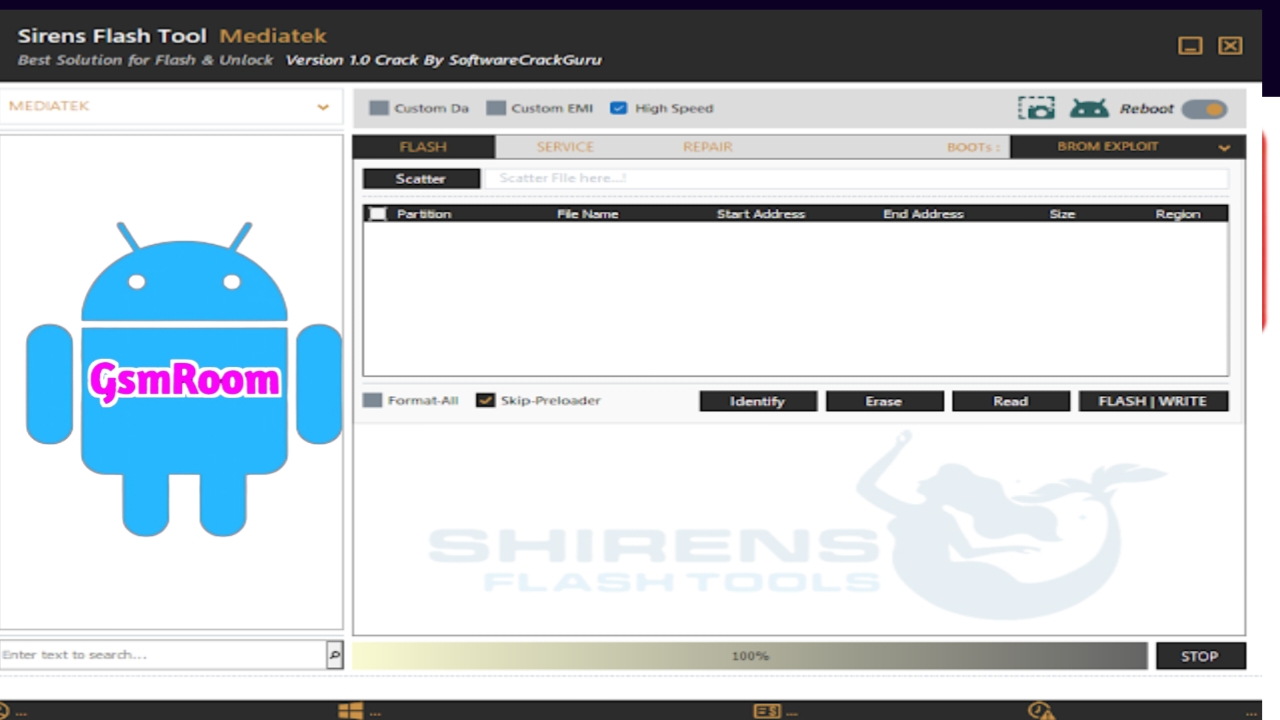
Overview of Sirens Flash Tool V1.0
We present the Sirens Flash Tool (Multi-Functional) V1.0 Free Download No Need Login as a comprehensive, high-performance solution designed for advanced mobile servicing and software repair. This tool integrates multiple functionalities into a single platform, enabling efficient handling of flashing, unlocking, repairing, and maintenance tasks across a wide range of Android devices.
We emphasize its login-free architecture, which removes access barriers and allows immediate usability without authentication delays. This makes it particularly effective in fast-paced technical environments where time efficiency is critical.
Core Capabilities of Sirens Flash Tool (Multi-Functional) V1.0
We utilize the tool to perform a diverse set of operations that traditionally required multiple software utilities. Its unified system enhances workflow and reduces operational complexity.
Firmware Flashing and System Recovery
We execute firmware flashing with precision across various device architectures. The tool supports:
- Stock ROM installation
- Firmware upgrades and downgrades
- Recovery of soft-bricked devices
- Partition-level flashing
We achieve high-speed execution through optimized communication protocols with device chipsets, ensuring stable and consistent results.
FRP Bypass and Security Unlocking
We remove Factory Reset Protection (FRP) locks seamlessly using integrated modules that support multiple modes:
- ADB Mode FRP Removal
- META Mode Unlock
- Download Mode Execution
We ensure that unlocking operations preserve system stability while restoring device accessibility.
Advanced Repair and Maintenance Functions
We extend functionality beyond basic operations by incorporating advanced repair tools:
- IMEI repair and restoration
- Baseband troubleshooting
- EFS backup and recovery
- QCN read/write operations
We enable technicians to resolve network-related issues and restore device communication capabilities efficiently.
Supported Platforms and Chipset Integration
We ensure compatibility with major chipset architectures, enabling broad device coverage.
Qualcomm Integration
We operate in EDL (Emergency Download Mode) to gain low-level access to Qualcomm-based devices. This enables:
- Deep firmware flashing
- Hard brick recovery
- Secure partition repair
MediaTek Support
We utilize BROM mode for MediaTek devices, providing:
- Secure flashing operations
- FRP removal
- Device formatting and repair
Installation Process and Environment Setup
We establish a stable environment before deploying the tool to ensure optimal performance.
System Requirements
- Windows OS (7/8/10/11)
- Minimum 4GB RAM
- Installed USB drivers
- Stable USB connection
Installation Steps
- Download the tool package
- Extract all files to a dedicated directory
- Run the executable with administrator privileges
- Install required dependencies
- Launch the interface and connect the device
We maintain a clean installation environment to avoid driver conflicts and ensure smooth execution.
Operational Workflow of Sirens Flash Tool
We follow a structured workflow to maximize efficiency and minimize errors during operations.
Device Connection and Detection
We connect the device using a high-quality USB cable and ensure proper driver recognition. The tool automatically detects connected devices and displays relevant information.
Process Execution
We select the required operation based on the task:
- Firmware flashing
- FRP bypass
- Repair function
We initiate the process and monitor real-time logs for accuracy and progress tracking.
Completion and Verification
We verify successful execution by:
- Checking device boot status
- Confirming network functionality
- Ensuring removal of locks or errors
Key Advantages of Sirens Flash Tool V1.0
We highlight several advantages that position this tool as a superior solution:
- No login requirement ensures instant access
- Multi-functional interface reduces tool dependency
- Broad compatibility supports multiple brands
- High-speed execution improves productivity
- User-friendly design simplifies complex operations
Limitations and Operational Considerations
We acknowledge certain limitations that require attention:
- Dependence on correct drivers
- Risk of interruption during flashing
- Need for compatible firmware files
We mitigate these risks through proper preparation and adherence to best practices.
Best Practices for Optimal Performance
We implement the following practices to ensure consistent results:
- Maintain device battery above 50%
- Use original or certified USB cables
- Backup critical data before operations
- Avoid disconnecting devices during processes
- Use updated versions of the tool
Use Cases in Professional Environments
We deploy the Sirens Flash Tool (Multi-Functional) V1.0 Free Download No Need Login in various real-world scenarios:
Mobile Repair Shops
We streamline operations by handling multiple repair tasks within a single interface, reducing turnaround time.
Technical Support Centers
We resolve customer issues efficiently, including device unlocking and firmware restoration.
Individual Technicians
We provide a reliable solution for freelance technicians handling diverse device models.
Security and Reliability Considerations
We ensure that operations performed using the tool maintain system integrity. The tool operates within defined parameters, minimizing risks associated with firmware corruption or data loss when used correctly.







