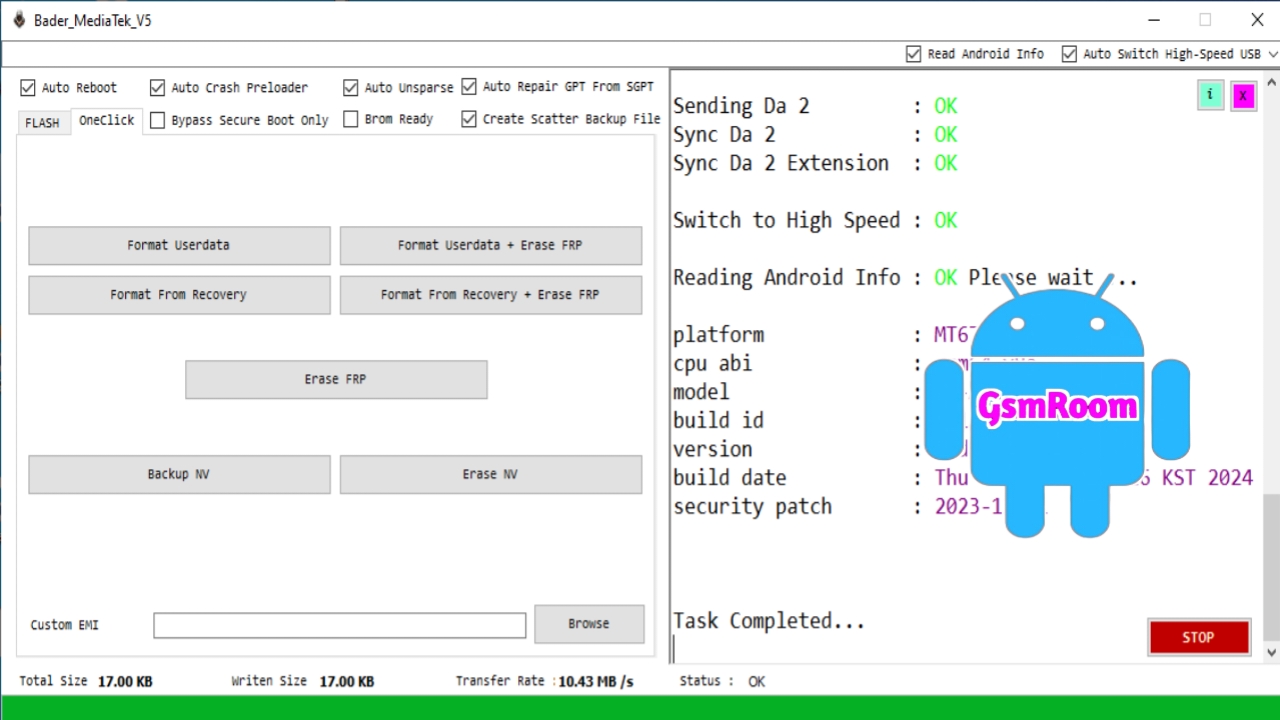
Bader MediaTek V5 Tool (2026) is a small but powerful Android servicing utility specially made for MediaTek (MTK) devices. It is widely used for FRP bypass, firmware flashing, formatting, and basic repair tasks—especially on devices using MTK V5 protocol.
📌 What Is Bader MediaTek V5 Tool?
Bader MediaTek V5 Tool is a Windows-based software that allows users to connect MTK devices via USB and perform various repair and unlocking operations. It simplifies complex tasks with one-click functions, making it suitable for both beginners and technicians.
⭐ Key Features
- Auto Reboot
- Auto Crash Preloader
- Auto Unsparse
- Auto Repair GPT From SGPT
- Create Scatter Backup File
- Bypass Secure Boot Only
- BROM Ready Option
- Read Android Info
- Auto Switch High-Speed USB
- Flash Firmware
- Identify Device
- Erase Data
- Backup Option
- Format Userdata
- Format Userdata + Erase FRP
- Format From Recovery
- Format From Recovery + Erase FRP
- Erase FRP Lock
- Backup NV Data
- Erase NV Data
- Custom EMI Support
🔓 FRP Bypass
- Remove Google FRP lock quickly
- Format userdata + erase FRP
- One-click FRP option
📱 Firmware Flashing
- Flash firmware using scatter files
- Repair damaged or bricked devices
- Auto unsparse firmware
🔧 Format & Reset Options
- Factory reset / wipe data
- Full format options
- Fix bootloop issues
📊 Backup & Device Info
- Read Android device information
- Create scatter backup files
- Backup / erase NV data
⚡ Advanced MTK Functions
- BROM mode support
- Auto crash preloader
- Secure boot bypass (limited)
- High-speed USB switching
- GPT repair from SGPT
🆕 What’s New in 2026 Version
- Improved support for MediaTek V5 devices
- Better FRP removal success rate
- Faster flashing speed
- Improved USB connection stability
- Cleaner and easier interface
How to Download
- Visit a trusted GSM tool website.
- Search for “Bader MediaTek V5 Tool 2026”.
- Download the ZIP file (usually via Mega or MediaFire).
- Extract using WinRAR or 7-Zip.
- Run the tool as Administrator.
⚙️ How to Use (Basic Steps)
- Install MediaTek USB drivers.
- Open the tool as Administrator.
- Connect your MTK device (powered off or in BROM mode).
- Select the function (FRP, Flash, Format, etc.).
- Click the button and wait for the process to finish.
📌 Summary
Bader MediaTek V5 Tool (2026) is a simple and effective solution for FRP bypass, firmware flashing, formatting, and MTK device repair. It is best suited for older or compatible MediaTek devices, offering fast and easy one-click operations.
Password: Bader Tec







