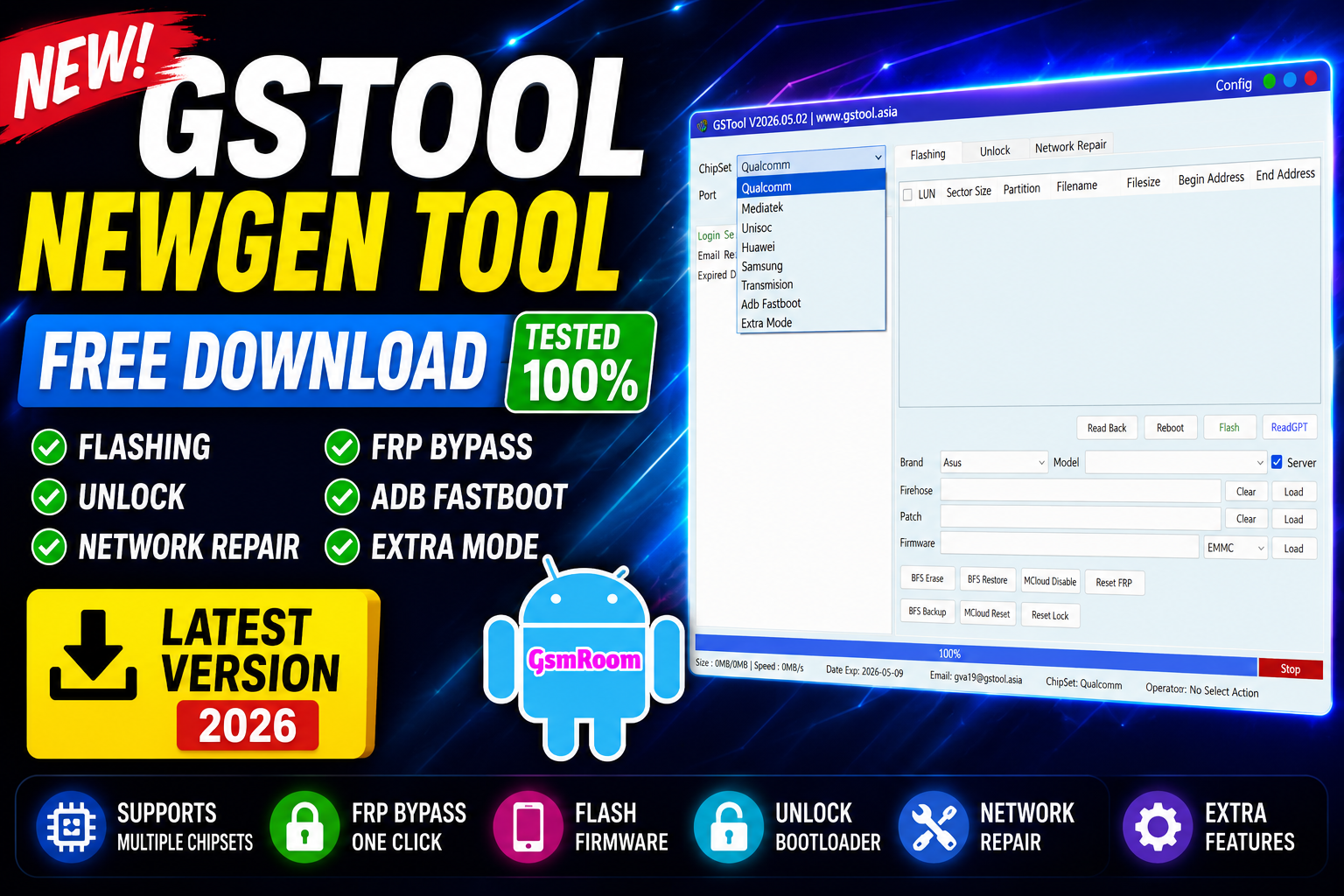
GSTOOL NewGen Tool is a professional Android servicing utility designed for FRP unlock, flashing, bootloader unlock, factory reset, and device repair operations. The tool supports multiple Android brands and chipsets, making it useful for GSM technicians and mobile repair users.
📌 What Is GSTOOL NewGen Tool?
GSTOOL NewGen Tool is a Windows-based GSM software that provides advanced Android repair and servicing functions through a simple interface. It is commonly used for:
- FRP bypass
- Factory reset
- Flashing firmware
- Bootloader operations
- Device information reading
- Android utility functions
⭐ Main Features
🔓 FRP Unlock
- Remove Google FRP lock
- One-click reset methods
- Support for newer Android versions
📱 Flash Firmware
- Flash stock ROMs and firmware files
- Fix bootloop and software issues
- Restore damaged partitions
🔧 Factory Reset
- Safe format options
- Remove screen lock on supported devices
- Reset user data quickly
⚡ Bootloader Functions
- Unlock / relock bootloader
- Reboot to Fastboot / Recovery mode
- Advanced device management options
📡 Device Utilities
- Read device information
- Detect chipset automatically
- Backup and restore options
📱 Supported Brands
The tool supports many Android brands including:
- Samsung
- Xiaomi
- Redmi
- Vivo
- Realme
- Tecno
- Infinix
- Itel
- Huawei
- Nokia
- Motorola
Supported Chipsets
- Qualcomm
- MediaTek
- Unisoc
- Huawei Kirin
- EDL Mode
- Fastboot Mode
- ADB Mode
Qualcomm Flashing Features
- Read GPT
- Read Data
- Flash Firmware
- Reboot Device
- Read Partition
- Write Partition
- Erase Partition
- Select Sector Size
- LUN Selection
- Begin Address Selection
- End Address Selection
- Load Firehose File
- Load Patch File
- Load Firmware File
- Backup GPT
- Reset FRP
- Factory Reset
- Mi Account Reset
- EFS Backup
- EFS Restore
Qualcomm Unlock Features
- Reset FRP
- Reset Lock
- Realme FRP Reset
- Realme Reset Lock
- Realme Narzo Series Support
- Realme GT Series Support
- Realme Neo Series Support
- Realme X Series Support
- Realme C Series Support
- Realme Q Series Support
- Realme V Series Support
Qualcomm Network Repair Features
- Write IMEI
- QCN Read
- QCN Write
- Critical Read
- Critical Write
- Diag Enable
- Diag Enable Xiaomi
- Diag Enable Root
MediaTek Flashing Features
- Read GPT
- Read Data
- Flash Firmware
- Reboot Device
- Read Partition
- Write Partition
- Erase Partition
- Scatter File Support
- Preloader Selection
- Download Agent Support
- Read RPMB
- Write RPMB
- Erase RPMB
- Backup RPMB
- Restore RPMB
- Factory Reset
- Safe Format
- Meta Mode Support
- Payload Parser
- Open Browser
MediaTek Unlock Features
- Reset FRP
- Reset Userdata and FRP
- Reset Lock
- Reset Mi Account
- Relock Bootloader
- Unlock Bootloader
- Erase FRP
- Security Repair
- Fix DM Verify
- Patch IMEI
- Erase Data
- Reset Backup
MediaTek META Features
- META Mode Connection
- IMEI Repair
- NVRAM Operations
- Network Repair
- Security Repair
- Extra Mode Features
- Oplus Demo Exit Code
- Vivo Demo Exit Code
- Demo Phone Unlock
- Special Service Functions
Unisoc Features
- Tiger T7200 FRP Bypass
- Tiger T7250 FRP Bypass
- Factory Reset
- SOC Detection
- Auto Detection
- Reset User Lock
- Samsung Features
- Samsung FRP Reset
- Samsung Factory Reset
- Samsung Erase FRP Bit 1
- Samsung Erase FRP Bit 2
- Samsung MediaTek Support
Xiaomi Features
- Mi Account Reset
- Xiaomi Diag Enable
- Bootloader Unlock
- FRP Reset
- Factory Rese
Supported Operations
- Flash Firmware
- Read Firmware
- Write Firmware
- Erase Firmware
- Readback Support
- Partition Manager
- Bootloader Operations
- FRP Unlock
- Userdata Reset
- Security Backup
- Security Restore
- Device Information Read
- Memory Information Read
- ADB Support
- Fastboot Support
- EDL Support
🆕 What’s New in Latest Version
- Improved Android 15 support
- Better FRP unlock success rate
- Faster device detection
- Updated chipset compatibility
- Improved UI and bug fixes
⚙️ How to Use
- Install required USB drivers
- Open GSTOOL NewGen Tool
- Connect your device via USB
- Select the required function
- Click Start / Execute
🖥 System Requirements
- Windows
- USB drivers installed
- USB cable
- Stable internet connection recommended
📌 Summary
GSTOOL NewGen Tool (2026) is a useful Android servicing utility for FRP bypass, flashing, unlocking, and repair operations. With support for multiple Android brands and updated security patches, it is a valuable tool for mobile technicians and advanced Android users.







