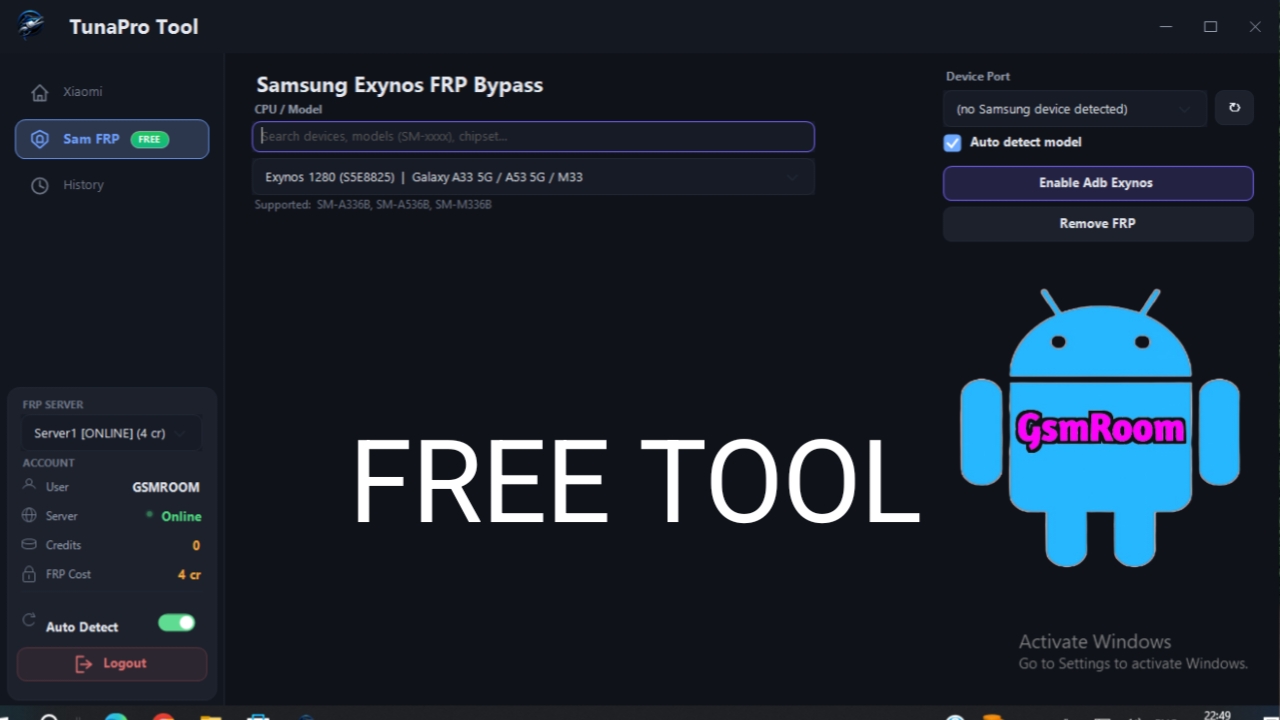
Meta Description: TunaProTool Latest Version Free Download is gaining attention among users looking for advanced utility software. Learn about its features, benefits, installation process, security tips, and FAQs.
Introduction to TunaProTool
The demand for smart software tools has grown quickly in recent years. People want faster, simpler, and more reliable solutions for their daily tasks. That’s where TunaProTool Latest Version Free Download comes into the spotlight. Many users are searching for it because they believe it offers advanced features without the hassle of complicated installation or expensive subscriptions.
In the modern world, software tools are like Swiss Army knives—they save time and make life easier. Whether you’re a beginner or an experienced user, having a flexible tool can feel like striking gold. TunaProTool has become one of those names people are talking about because of its ease of use and efficient workflow.
This article breaks down everything you should know about TunaProTool. From features to setup and security, you’ll get the complete picture. By the end, you’ll understand why it has become such a trending topic.
What Is TunaProTool?
TunaProTool is often described as a multi-functional utility tool built for users who need reliable performance. It’s designed to handle various tasks with minimal effort, making it attractive for both professionals and casual users.
Key Features of TunaProTool
Features are what separate average tools from standout ones.
Fast Processing
Nobody likes waiting around. TunaProTool focuses on speed, reducing lag and helping tasks finish faster.
Benefits include:
- Quick launch time
- Smooth operation
- Reduced crashes
- Better resource allocation
It’s like upgrading from a bicycle to a sports car.
Offline Support
One of the strongest selling points of TunaProTool Latest Version Free Download is offline capability.
This means:
- No need for continuous internet
- Better accessibility in remote areas
- Fewer interruptions
- More consistent performance
That’s a big plus for travelers or remote workers.
Supported Samsung Exynos Models
Galaxy A33 5G
Galaxy A53 5G
Galaxy M33
Galaxy A34 5G
Galaxy A54 5G
Galaxy A35 5G
Galaxy A55 5G
Galaxy A36 5G
Galaxy S21 Series
Galaxy S22 Series
Galaxy S24 Series
Galaxy S25 Series
Galaxy J2 Pro
Galaxy J3 2017
Galaxy J5 2017
Galaxy J7 2017
Galaxy A5 2017
Galaxy A7 2017
Galaxy A10s
Galaxy A20s
Galaxy A30s
Galaxy M12
Galaxy A8 2018
Galaxy A6+ 2018
Galaxy J8
Galaxy A20
Galaxy A30
Galaxy M20
Galaxy A12
Galaxy A04s
Galaxy A13
Galaxy S7
Galaxy S7 Edge
Galaxy Note FE
Galaxy S8
Galaxy S8+
Galaxy Note 8
Galaxy A50
Galaxy M30s
Galaxy M31
Galaxy M21
Galaxy A51
Galaxy M31s
Galaxy F41
Galaxy A71 5G
Galaxy S9
Galaxy S9+
Galaxy Note 9
Galaxy S10
Galaxy S10+
Galaxy S10e
Galaxy S20
Galaxy S20+
Galaxy S20 Ultra
Galaxy Note20
How TunaProTool Works
Understanding how it works can help users maximize its potential.
Core Technology
TunaProTool likely uses local processing technology, which means much of the work happens directly on your device.
Advantages:
- Faster response times
- Reduced server dependency
- Better privacy
- Lower bandwidth use
This approach often improves reliability.
Compatibility
Compatibility matters.
TunaProTool usually works best when:
- Your OS is updated
- Enough RAM is available
- Storage space is sufficient
- Drivers are current
Always verify compatibility before installation.
Benefits of Using TunaProTool
Software should solve problems, not create them.
Time Saving
Time is money, plain and simple.
TunaProTool helps save time by:
- Automating repetitive tasks
- Reducing loading times
- Improving workflow speed
That means more work done in less time.
Frequently Asked Questions
1. Is TunaProTool free?
Yes, many versions are available for free, but features may vary.
2. Does TunaProTool require internet?
Not always. Offline functionality is one of its major strengths.
3. Is TunaProTool safe?
Safety depends on where you download it from. Always use trusted sources.
4. Can beginners use TunaProTool?
Yes. Its simple interface makes it beginner-friendly.
5. Does it work on all operating systems?
Compatibility depends on the specific version.
6. How often is TunaProTool updated?
Update frequency varies based on development cycles.
7. Can it improve productivity?
Yes, especially for repetitive tasks and offline workflows.
Conclusion
TunaProTool Latest Version Free Download has become a popular choice for users who want speed, flexibility, and simplicity in one package. Its offline support, efficient performance, and easy-to-use interface make it a practical tool for a wide range of users.







