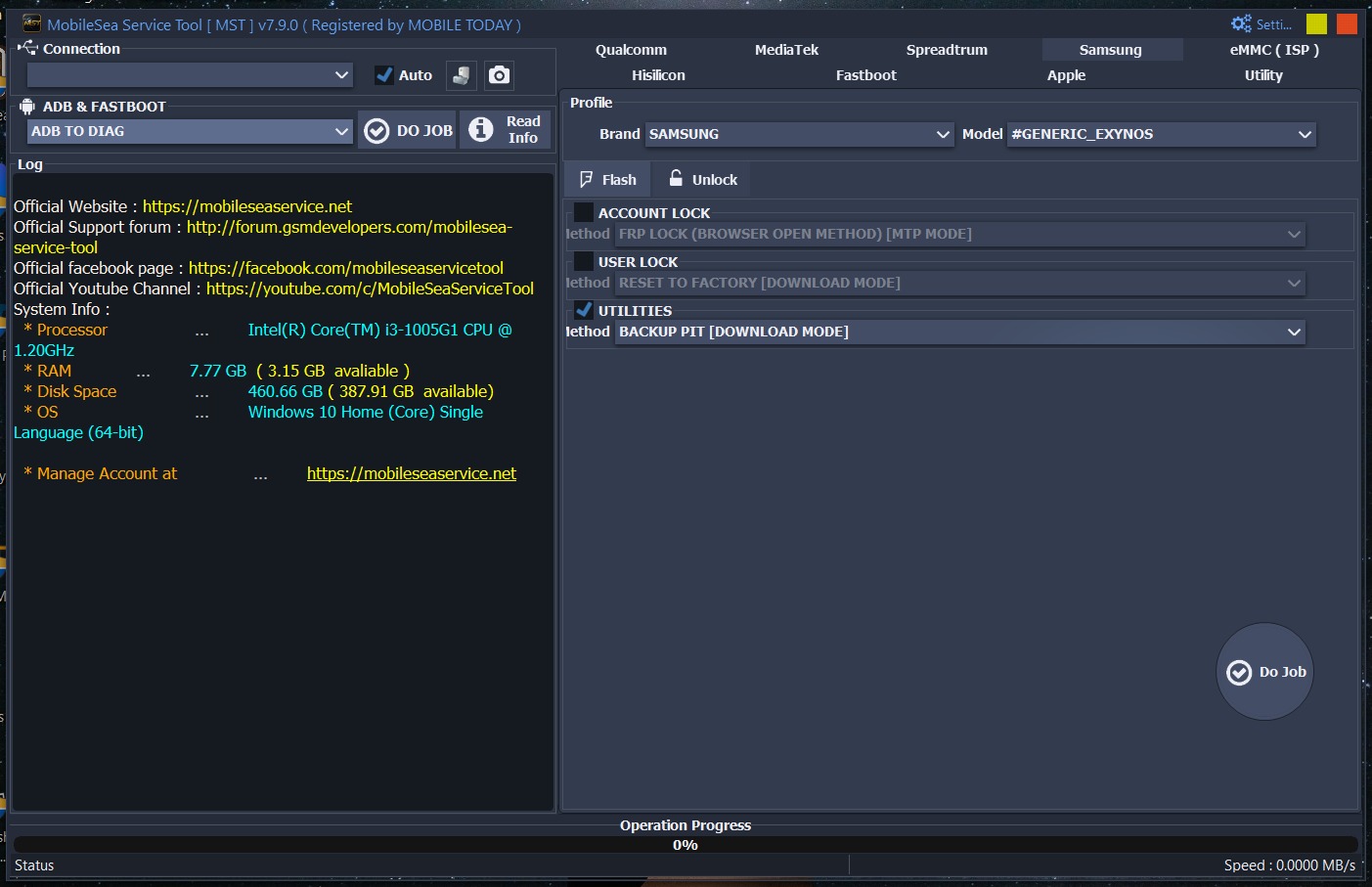
Mobile Sea Service Tool V7.9.0 Download for Windows
Mobile Sea Service Tool V7.9.0 is a comprehensive mobile servicing application designed for professional repair technicians and advanced Android users. It provides an all-in-one platform for device management, diagnostics, flashing support, ADB and Fastboot utilities, and maintenance functions across multiple smartphone brands.
The official MobileSea Service Tool website describes it as a multi-brand service tool supporting numerous Android devices with a wide range of repair and maintenance features. The download page also provides the latest setup files, USB drivers, and detailed changelogs for each release.
What is Mobile Sea Service Tool?
Mobile Sea Service Tool is a Windows-based utility developed for mobile phone servicing. It combines multiple repair and maintenance modules into a single interface, allowing technicians to perform supported software operations without switching between different applications
- Qualcomm
- MediaTek (MTK)
- Samsung Exynos
- UNISOC (Spreadtrum)
- Apple (selected service modules)
Key Features of Mobile Sea Service Tool V7.9.0
1. Multi-Brand Device Support
- Samsung
- Xiaomi
- Redmi
- POCO
- Oppo
- Vivo
- Realme
- OnePlus
- Motorola
- Tecno
- Infinix
- Itel
2. ADB Utilities
The built-in ADB module provides useful maintenance features such as:
- Device Detection
- Read Device Information
- Reboot Device
- Reboot to Recovery
- Reboot to Fastboot
- Install APK Files
- Uninstall Applications
These features simplify routine Android servicing.
3. Fastboot Functions
The Fastboot module includes:
- Fastboot Device Detection
- Reboot Fastboot
- Bootloader Information
- Device Diagnostics
- Partition Information
These tools are useful for firmware maintenance and troubleshooting.
4. Qualcomm Module
The Qualcomm module supports numerous compatible devices and receives regular updates with additional device profiles and stability improvements. Official changelogs show ongoing expansion of supported Samsung, Oppo, Realme, and OnePlus models.
5. MediaTek Module
The MediaTek module includes features for compatible devices, such as:
- Device Detection
- Factory Reset
- META Mode Support
- User Data Formatting
- Bootloader Utilities
6. Apple Module
Selected versions of Mobile Sea Service Tool include Apple service modules with utilities for supported devices, including Ramdisk-related functions and maintenance options. Feature availability depends on the software version.
What’s New in Version 7.9.0?
Version 7.9.0 continues the MobileSea development cycle with improvements over previous releases. Recent official updates include:
- Expanded Qualcomm device compatibility
- Improved Samsung module support
- Enhanced MediaTek functions
- Better Android 16 compatibility in supported modules
- Performance optimizations
- General bug fixes
- Improved overall application stability
The official download page also publishes detailed changelogs for every update.
Supported Operating Systems
Mobile Sea Service Tool works with:
- Windows 7
- Windows 8
- Windows 10
- Windows 11
⚡Added Xiaomi Bootloader Unlock
- XIAOMI 17 PRO MAX (POPSICLE)
- XIAOMI 17 ULTRA (NEZHA)
- XIAOMI 17 PRO (PANDORA)
- XIAOMI 17 (PUDDING)
- XIAOMI 17T PRO (WARHOL)
- XIAOMI 17T (CHAGALL)
- XIAOMI 15T PRO (KLIMT)
- REDMI K90 PRO MAX (MYRON)
- REDMI K80 ULTRA (DALI)
- REDMI K70 ULTRA (ROTHKO)
- REDMI TURBO 5 MAX (DASH)
- REDMI TURBO 5 (KLEE)
- REDMI NOTE 15 PRO 4G (CHAROITE)
- REDMI NOTE 15 4G (SPINEL)
- REDMI NOTE 14 PRO 4G GLB (OBSIDIAN)
- REDMI NOTE 14 4G GLB (TANZANITE)
- REDMI NOTE 13 PRO 4G (EMERALD)
- REDMI 15C (DEW)
- REDMI 14C (LAKE)
- REDMI 14C (POND)
- REDMI 13 (MOON)
- REDMI 13 (TIDES)
- REDMI 13C (GALE)
- POCO X8 PRO MAX (DASH)
- POCO X8 PRO (KLEE)
- POCO F8 ULTRA (MYRON)
- POCO M6 PRO (EMERALD)
- POCO C85 (DEW)
- POCO C75 (LAKE)
- POCO C65 (GALE)
- Apple Module
⚡Added support for following models
- XIAOMI 15 PRO (HAOTIAN)
- XIAOMI 15 ULTRA (XUANYUAN)
- XIAOMI 15 (DADA)
- XIAOMI 13 PRO (NUWA)
- XIAOMI 13 ULTRA (ISHTAR)
- XIAOMI 13 (FUXI)
- XIAOMI MIX FOLD 3 (BABYLON)
- XIAOMI MIX FLIP 2 (BIXI)
- XIAOMI PAD 8 PRO (PIANO)
- XIAOMI PAD 6S PRO 12.4 (SHENG)
- XIAOMI POCO F8 PRO (ANNIBALE)
- XIAOMI POCO F6 PRO (VERMEER)
- XIAOMI REDMI K90 (ANNIBALE)
- XIAOMI REDMI K80 PRO (MIRO)
- XIAOMI REDMI K70 (VERMEER)
- XIAOMI REDMI K60 PRO (SOCRATES)
- SAMSUNG A05S SM-A057F (BIT-E)
- SAMSUNG A05S SM-A057G (BIT-B)
- SAMSUNG F14 4G SM-E145F (BIT-C)
- SAMSUNG Z FLIP5 SM-F731B (BIT-7)
- SAMSUNG Z FOLD5 SM-F946B (BIT-7)
- SAMSUNG S21 FE 5G SM-G990U (BIT-N)
- SAMSUNG S21 FE 5G SM-G990B (BIT-K)
- SAMSUNG S23 ULTRA SM-S918B (BIT-A)
- SAMSUNG S24 SM-S921U (BIT-6)
- SAMSUNG S24 ULTRA SM-S928B (BIT-6)
- SAMSUNG TAB ACTIVE4 PRO SM-T630 (BIT-B )
- SAMSUNG A05S SM-A057M (BIT-E)
- SAMSUNG A23 SM-A235M (BIT-F)
- SAMSUNG Z FLIP5 SM-F731U (BIT-7)
- SAMSUNG Z FOLD6 SM-F956U (BIT-3)
- SAMSUNG S21 FE 5G SM-G990U (BIT-M)
- SAMSUNG S21 5G SM-G991U (BIT-J)
- SAMSUNG A23 5G SM-S236DL (BIT-G)
- SAMSUNG S22 ULTRA 5G SM-S908U (BIT-9)
- SAMSUNG S22 ULTRA 5G SM-S908W (BIT-9)
- SAMSUNG S23 ULTRA SM-S918B (BIT-9)
- SAMSUNG S23 ULTRA SM-S918N (BIT-7)
- SAMSUNG S23 ULTRA SM-S918U (BIT-7)
- SAMSUNG S23 ULTRA SM-S918W (BIT-7)
- SAMSUNG S24 ULTRA SM-S928B (BIT-5)
- SAMSUNG S24 ULTRA SM-S928N (BIT-5)
- SAMSUNG S24 ULTRA SM-S928U (BIT-5)
- SAMSUNG S24 ULTRA SM-S928W (BIT-5)
🔸Fixed bug
Conclusion
Mobile Sea Service Tool V7.9.0 is a powerful multi-brand mobile servicing utility for Windows that combines ADB tools, Fastboot features, Qualcomm and MediaTek modules, and comprehensive device management capabilities in a single application. Its intuitive interface, regular updates, and broad device compatibility make it a valuable solution for professional mobile repair technicians and advanced Android users.







