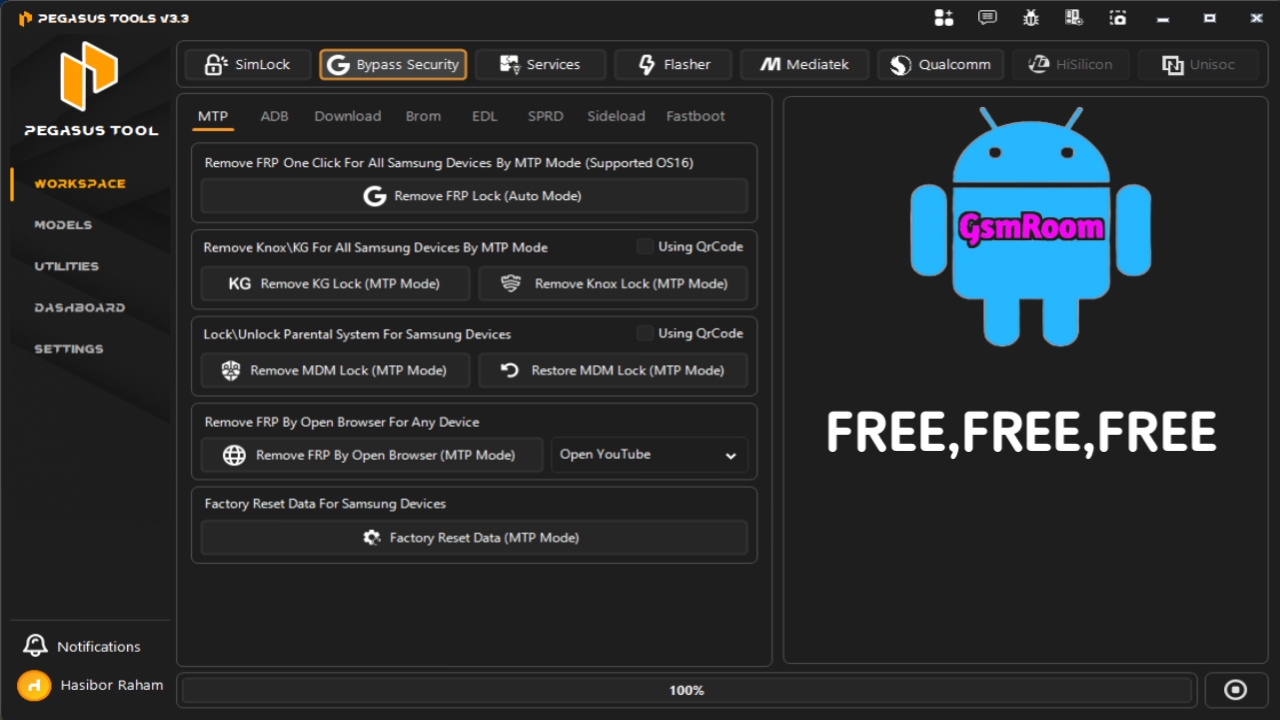
Pegasus Tool V3.2 is a professional Windows application designed for mobile repair technicians and advanced Android users. It provides a unified workspace for Android device diagnostics, firmware management, ADB utilities, Fastboot operations, and other maintenance functions for supported devices.
The latest version introduces performance improvements, enhanced compatibility, and a streamlined interface for professional servicing workflows. If the developer offers a trial edition, users can evaluate the software through the official channel before purchasing a license.
What is Pegasus Tool V3.2?
Pegasus Tool is an Android device management utility that combines multiple servicing features into a single desktop application. It is intended for professional technicians, repair shops, and experienced Android users who need a convenient interface for supported maintenance tasks.
Featuers List Pegasus Tool
- SimLock & Security
- Read Info
- Direct Unlock
- ReLock Carrier
- Get CodeLock
- Read / Write Certificate
- Restore Security / Repair Boot
- Convert CSC (Samsung / LG)
- Write EmToken (Combination Token ADB)
MTP/ADB Mode
- Remove FRP Lock (Android OS16)
- Remove Knox/KG Lock (MTP Mode)
- Remove MDM Lock / Restore MDM Lock
- Remove FRP (ADB Mode)
- Remove Samsung Account
- Remove FRP By Open Browser (Open YouTube)
- Factory Reset Data (MTP Mode)
Download Mode
- Remove FRP (Samsung MTK Only)
- Remove MDM Lock
- Factory Reset
- Fix Software Break
Brom Mode
- Remove FRP Lock
- Remove Mi Account
- Remove ID (Huawei/Realme)
- Remove Demo (Oppo/Vivo)
- Factory Reset (Safe)
- Remove MDM Infinix
- Remove KG | Knox Samsung (New)
EDL Mode
- Brand/Model Auto Selection
- Remove FRP Lock
- Remove Mi Account (Smart)
- Remove MDM Account (Samsung)
- Remove ID (Huawei/Realme)
- Factory Reset (EXT4)
- Remove KG | Knox Samsung (New)
General Options
- Repair Install Apps
- Fix Bootloop Sprint
- Fix Call Not Sent
- Remove Dialing Assisting
- Remove Security Notice
- Enable Call Recorder
- Disable Hand Free Active
- Disable Samsung Updates
- Disable Sim Not From Verizon
- Install Network Mode Apk
Convert & IMEI
- Direct Convert To CDMA (ADB Mode)
- Direct Switch To Dual SIM (ADB Mode)
- Repair Replace SIM
- Convert CSC (Sprint, etc.)
- Disable/Enable Convert Via SIM
- Open CSC Menu (Old)
- Repair Baseband
- Remove Policyman / Remove Modem
- Write IMEI / MEID
- Write QCN
Android ADB
- Read Device Information
- Reset FRP (ADB)
- Reboot Recovery
- Enter Download Mode (ADB)
- Apps Manager
- Clear Apps
- Bypass Xiaomi MI Account
- Bypass MI Account Method 2
- Disable OTA Updates
- Bypass MI Account (Fastboot)
- Fix Xiaomi DM-Verity Corruption
- Add Language
- Unlock Network
- Backup Device Data
- Restore Backup
- Fix Google Play Store
- Reset Oppo ID
- Reset Realme ID
- Reset Tecno ID
- Reset Infinix ID
- Reset Itel ID
- Reset Huawei ID
- Reset Vivo ID
Samsung KG
- Remove MDM All Patch (Android 14–16)
- Backup EFS
- Restore EFS
- Root Device
- Unlock SIM Card (Old Method)
- Unlock SIM Card (New Method)
- Install MJT Guard
- Install Test DPC
- Live Screen
- Fix Install Apps
- Reboot Normal Mode
- Reboot Download Mode
- Read Samsung Info (ADB)
- Reset Samsung FRP (Exynos Android 11–14)
- Reset Samsung FRP (Exynos Android 15–16)
- Reset Samsung Account
MDM Module
- MDM MTK SPD 2024
- MDM SPD 2025 (Old)
- MDM 2025 New
- MDM 2026 Premium
- MDM By QR
- Takenow Remove
- MDM Calcarse
- Navigation Fix
- MDM QR Relock
- MDM Oppo / Realme
- Install Nova Launcher
- MDM Unitel Smart 4G
- Live Screen
- MDM Nokia
- MDM Huawei 2025
- MDM ZTE Blade
- Transsion MDM By Model
Tool Logine :- Pegasus Tools | Professional Smartphone Repair Software







