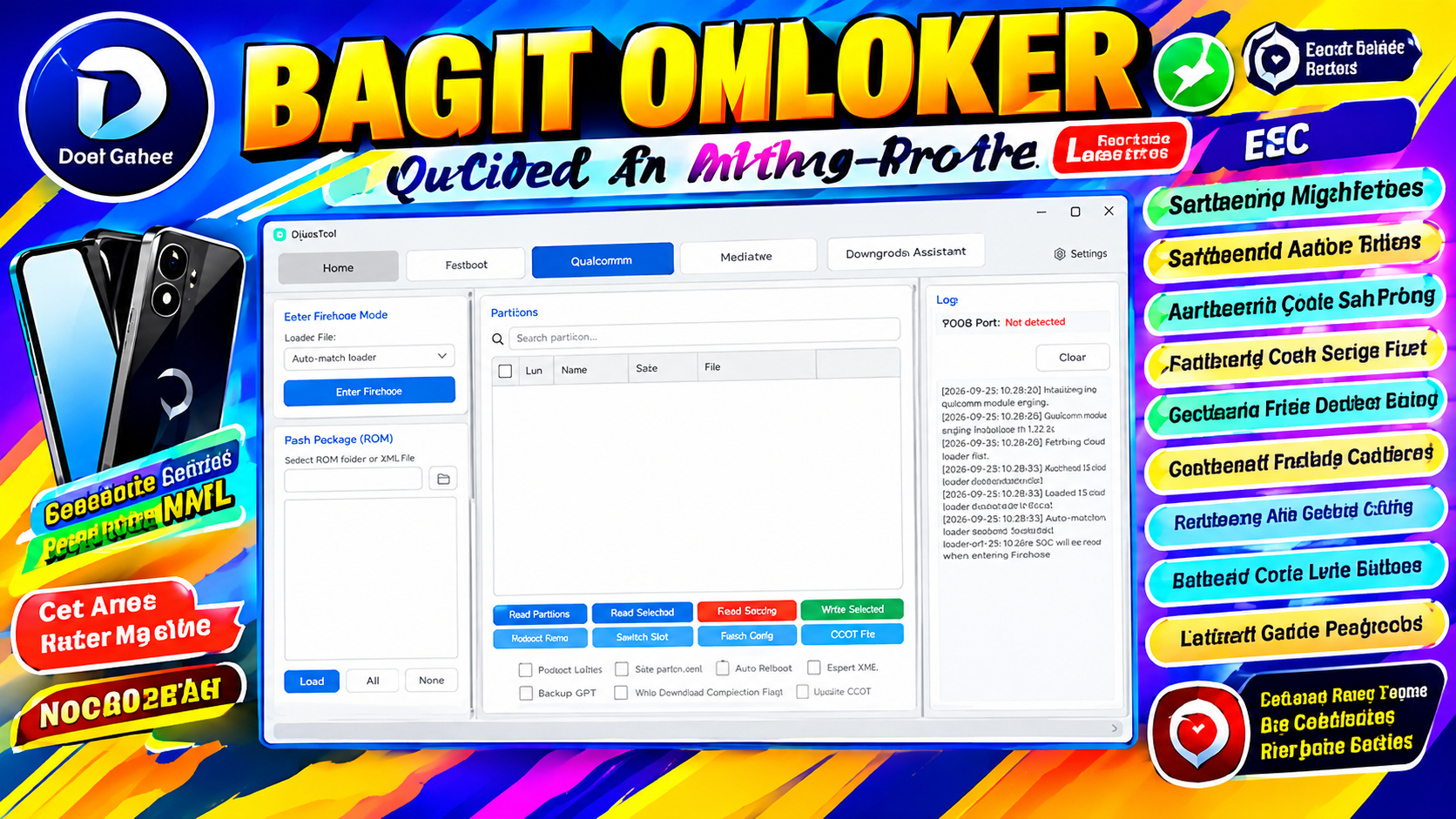
OplusTool v4.2026.008 is a Windows-based mobile servicing utility designed around firmware, flashing, device information, partition, and recovery-related operations. The currently reported build is version 4.2026.008, with a win-x64 runtime architecture. Its interface is divided into several major sections, including Fastboot, Qualcomm, MediaTek, and Downgrade Assistant.
For technicians and experienced Android users, having a single Windows application that organizes different chipset-specific operations can make device servicing easier. OplusTool separates its functions according to the connection and platform type, allowing users to work with compatible devices through the appropriate service section.
This article explains the reported features, supported sections, installation process, system requirements, common problems, and important safety considerations surrounding OplusTool v4.2026.008.
OplusTool v4.2026.008
OplusTool is presented as a Windows utility with separate workspaces for different Android servicing environments. The current build examined for this article displays 4.2026.008 and uses a 64-bit Windows runtime.
The main interface includes:
- Home
- Fastboot
- Qualcomm
- MediaTek
- Downgrade Assistant
- Settings
OplusTool v4.2026.008 Features
The following features are reported in the currently documented build.
Fastboot Firmware Support
The Fastboot section provides firmware-package handling and flashing-related functions.
It includes options for importing firmware packages and payload files, reading device information, rebooting devices, managing slots, and performing compatible flashing operations.
Qualcomm Service Section
The Qualcomm workspace includes tools for working with compatible Qualcomm-based devices.
Reported functions include:
- Firehose mode
- ROM/package selection
- Partition management
- Device information
- Reboot controls
- EDL-related operations
- GPT backup
- XML export
- Selected partition writing
The documented interface also lists several Snapdragon platforms, although actual compatibility can depend on the device, firmware, loader, and security configuration.
MediaTek Support
The MediaTek section provides a separate workspace for MTK devices.
Reported controls include:
- Device information
- Flash configuration
- Preloader operations
- GPT operations
- NV Data functions
- RPMB functions
- Data clearing
- Partition management
- Scatter-file loading
- Firmware writing
- Reboot controls
Because partition and NV-related operations can affect important device data, users should always create an appropriate backup before performing service work.
OplusTool Fastboot Functions
The Fastboot workspace is designed for devices that expose compatible Fastboot or FastbootD interfaces.
Reported functions include:
Firmware Package Import
Users can work with supported payload and firmware packages through the package-import controls.
Device Information
The tool provides a Read Device Info function for obtaining available information from a connected device.
Bootloader Controls
The interface includes options for bootloader unlock and lock operations.
These operations can have significant consequences, including data deletion or changes to device security. Only perform them on devices you own or are authorized to service.
One-Click Flash
The Fastboot section also includes a one-click flashing control.
Flashing should only be performed with the correct firmware for the exact device and region.
OplusTool Qualcomm Features
The Qualcomm section is intended for compatible Qualcomm-based devices.
Firehose Mode
The current interface includes loader selection options for Qualcomm service operations.
OplusTool MediaTek Features
MediaTek devices have their own dedicated section.
Preloader Operations
The interface includes options for reading and writing Preloader data.
Preloader is a critical part of many MediaTek devices, so incorrect firmware or an incorrect Preloader can potentially cause serious boot problems.
GPT Functions
The MediaTek section provides GPT-related functions, including reading and writing GPT data.
NV Data
The tool also lists options for:
- Read NV Data
- Erase NV Data
- Write NV Data
NV data can contain device-specific information, so it should be handled carefully.
OplusTool Settings
OplusTool also contains a Settings area for configuring the application.
Reported settings include:
- Language
- Appearance
- Default startup page
- Operation sounds
- Storage locations
- Log management
- Diagnostics
- Update checking
- Debug settings
- Application information
What is OplusTool v4.2026.008?
OplusTool v4.2026.008 is a Windows mobile servicing utility with separate Fastboot, Qualcomm, MediaTek, and Downgrade Assistant sections.
What architecture does OplusTool v4.2026.008 use?
The documented build shows a win-x64 runtime architecture.
Does OplusTool support Qualcomm devices?
The current interface contains a Qualcomm section with Firehose, firmware, partition, EDL, and related service controls.
Does OplusTool support MediaTek?
Yes. The MediaTek workspace includes Preloader, GPT, NV Data, RPMB, partition, and firmware-related functions.
Does OplusTool support Fastboot?
Yes. Fastboot is one of the main sections of the application and includes firmware and device-management functions.
Does OplusTool include backup and restore?
Yes. Backup and Restore functions are included under the Downgrade Assistant.
Can OplusTool downgrade firmware?
The current Downgrade Assistant includes controls for compatible downgrade packages and local OTA packages. Actual availability depends on the device and package.







