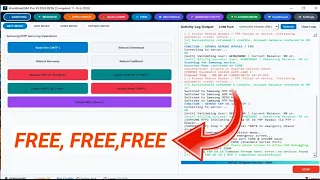
WorldLink GSM Pro is presented online as a mobile servicing platform designed for smartphone repair technicians. Its website advertises mobile flashing, unlocking
WorldLink GSM Pro?
WorldLink GSM Pro is advertised as a professional mobile servicing platform. According to its website, the software is intended for technicians who work with smartphone maintenance, firmware operations, and device repair.
Mobile servicing applications can help technicians manage supported device operations from a computer. However, available functions depend on the software release, device model, operating system, security patch, and license.
Main Features of WorldLink GSM Pro
1. Mobile Servicing Support
The platform advertises tools for professional smartphone servicing. Check the supported-device list before attempting any operation.
2. Firmware and Flashing Operations
Firmware-related functions may be available for supported devices. Always use firmware that matches the exact model and regional variant to reduce the risk of software failure.
3. Device Repair Functions
The developer advertises repair-oriented functionality. Available operations should be checked against the current software documentation.
4. Account and License Management
The website provides account-related pages and licensing information. A free login should not automatically be interpreted as unlimited access to paid features.
5. Supported-Model Information
Before using the tool, confirm that your phone model and required operation are explicitly supported by the developer.
📱 Supported Brands
- Supports many Android brands including:
- Samsung
- Xiaomi
- Redmi
- Poco
- Vivo
- Oppo
- Realme
- Tecno
- Infinix
- Itel
- Huawei
- Nokia
- Motorola
Supported Chipsets
- Qualcomm
- MediaTek
- Unisoc
- Huawei Kirin
- EDL Mode
- Fastboot Mode
- ADB Mode
Qualcomm Flashing Features
- Read GPT
- Read Data
- Flash Firmware
- Reboot Device
- Read Partition
- Write Partition
- Erase Partition
- Select Sector Size
- LUN Selection
- Begin Address Selection
- End Address Selection
- Load Firehose File
- Load Patch File
- Load Firmware File
- Backup GPT
- Reset FRP
- Factory Reset
- Mi Account Reset
- EFS Backup
- EFS Restore
Qualcomm Network Repair Features
- Write IMEI
- QCN Read
- QCN Write
- Critical Read
- Critical Write
- Diag Enable
- Diag Enable Xiaomi
- Diag Enable Root
MediaTek Flashing Features
- Read GPT
- Read Data
- Flash Firmware
- Reboot Device
- Read Partition
- Write Partition
- Erase Partition
- Scatter File Support
- Preloader Selection
- Download Agent Support
- Read RPMB
- Write RPMB
- Erase RPMB
- Backup RPMB
- Restore RPMB
- Factory Reset
- Safe Format
- Meta Mode Support
- Payload Parser
- Open Browser
- Reset FRP
- Reset Userdata and FRP
- Reset Lock
- Reset Mi Account
- Relock Bootloader
- Unlock Bootloader
- Erase FRP
- Security Repair
- Fix DM Verify
- Patch IMEI
- Erase Data
- Reset Backup
Unisoc Features
- Tiger T7250 FRP Bypass
- Factory Reset
- SOC Detection
- Auto Detection
- Reset User Lock
- Samsung Features
- Samsung FRP Reset
- Samsung Factory Reset
Xiaomi Features
- Mi Account Reset
- Xiaomi Diag Enable
- Bootloader Unlock
- FRP Reset
- Factory Reset
Supported Operations
- Flash Firmware
- Read Firmware
- Write Firmware
- Erase Firmware
- Readback Support
- Partition Manager
- Bootloader Operations
- FRP Unlock
- Userdata Reset
- Security Backup
- Security Restore
- Device Information Read
- Memory Information Read
- ADB Support
- Fastboot Support
- EDL Support







