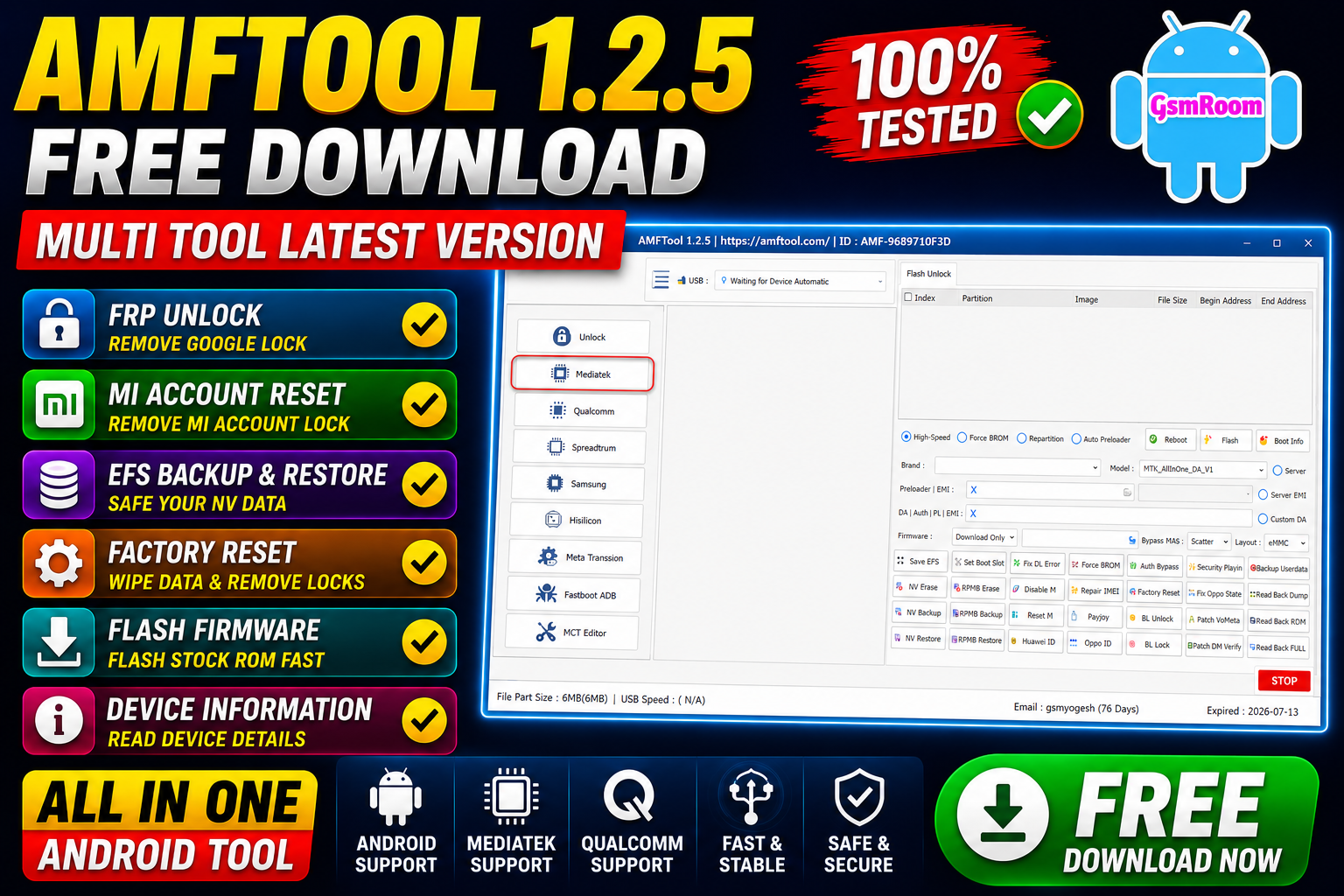
AMFTool 1.2.5 is a powerful all-in-one Android servicing utility for Windows PCs. The tool supports multiple chipsets including Qualcomm, MediaTek (MTK), SpreadTrum/Unisoc, Samsung, Hisilicon, Fastboot, and MTP devices. It is designed for technicians and advanced Android users who need maintenance, flashing, backup, and diagnostic features in one package.
✨ Main Features of AMFTool 1.2.5
🔹 Multi-Chipset Support
AMFTool supports a wide range of Android platforms:
- Qualcomm
- MediaTek (MTK)
- SpreadTrum / Unisoc
- Samsung
- Hisilicon
- Fastboot & ADB Devices
- MTP Mode Devices
🛠️ General Functions
- Reset Lock
- Backup EFS
- Restore EFS
- Disable Mi Account
- Device Information Reading
- Firmware Flashing
- Factory Reset
- Bootloader Tools
- NV Backup & Restore
⚡ MediaTek (MTK) Features
AMFTool offers several MediaTek utilities including:
- Firmware Info Reading
- High-Speed Flashing
- NV Backup / Restore
- RPMB Backup / Restore
- Factory Reset
- Safe Format
- Bootloader Unlock / Lock
- VBMeta Patch
- Readback Dump Functions
The tool also supports many MTK-based smartphone brands including Xiaomi, Realme, Vivo, Tecno, Infinix, Oppo, and Samsung MTK devices.
⚡ Qualcomm Features
Qualcomm functions include:
- Flash Firmware
- EFS Backup / Restore
- QCN Operations
- Boot Slot Switching
- Diagnostic Mode
- Firmware Readback
- MiCloud Utilities
- Fastboot Functions
Recent Qualcomm devices have introduced stronger security protections, and some advanced operations may require official authorization or compatible drivers.
📱 Supported Brands
- Supports many Android brands including:
- Samsung
- Xiaomi
- Redmi
- Poco
- Vivo
- Oppo
- Realme
- Tecno
- Infinix
- Itel
- Huawei
- Nokia
- Motorola
Supported Chipsets
- Qualcomm
- MediaTek
- Unisoc
- Huawei Kirin
- EDL Mode
- Fastboot Mode
- ADB Mode
Qualcomm Flashing Features
- Read GPT
- Read Data
- Flash Firmware
- Reboot Device
- Read Partition
- Write Partition
- Erase Partition
- Select Sector Size
- LUN Selection
- Begin Address Selection
- End Address Selection
- Load Firehose File
- Load Patch File
- Load Firmware File
- Backup GPT
- Reset FRP
- Factory Reset
- Mi Account Reset
- EFS Backup
- EFS Restore
Qualcomm Network Repair Features
- Write IMEI
- QCN Read
- QCN Write
- Critical Read
- Critical Write
- Diag Enable
- Diag Enable Xiaomi
- Diag Enable Root
MediaTek Flashing Features
- Read GPT
- Read Data
- Flash Firmware
- Reboot Device
- Read Partition
- Write Partition
- Erase Partition
- Scatter File Support
- Preloader Selection
- Download Agent Support
- Read RPMB
- Write RPMB
- Erase RPMB
- Backup RPMB
- Restore RPMB
- Factory Reset
- Safe Format
- Meta Mode Support
- Payload Parser
- Open Browser
- Reset FRP
- Reset Userdata and FRP
- Reset Lock
- Reset Mi Account
- Relock Bootloader
- Unlock Bootloader
- Erase FRP
- Security Repair
- Fix DM Verify
- Patch IMEI
- Erase Data
- Reset Backup
Unisoc Features
- Tiger T7250 FRP Bypass
- Factory Reset
- SOC Detection
- Auto Detection
- Reset User Lock
- Samsung Features
- Samsung FRP Reset
- Samsung Factory Reset
Xiaomi Features
- Mi Account Reset
- Xiaomi Diag Enable
- Bootloader Unlock
- FRP Reset
- Factory Reset
Supported Operations
- Flash Firmware
- Read Firmware
- Write Firmware
- Erase Firmware
- Readback Support
- Partition Manager
- Bootloader Operations
- FRP Unlock
- Userdata Reset
- Security Backup
- Security Restore
- Device Information Read
- Memory Information Read
- ADB Support
- Fastboot Support
- EDL Support
📱 Samsung Features
Samsung modules support:
- Download Mode Utilities
- PIT Read/Write
- Firmware Flashing
- Device Information
- Softbrick Fixing
- MTP Functions
- Odin Flash Support
🚀 Fastboot & ADB Utilities
The Fastboot/ADB section includes:
- Reboot Commands
- App Manager
- Disable OTA Updates
- Firmware Info
- Flashing Support
- Recovery Reboot
- Device Diagnostics
📋 Supported Brands
- Samsung
- Xiaomi
- Redmi
- Poco
- Realme
- Oppo
- Vivo
- OnePlus
- Tecno
- Infinix
- Huawei
- Honor
- Asus
- Lenovo
- Meizu
📥 How to Download AMFTool 1.2.5
The tool is commonly shared through GSM forums, Android servicing communities, and firmware websites.
Safety Recommendations
- Download only from trusted sources
- Scan files using antivirus software
- Avoid suspicious modified versions
- Backup device data before use
🔧 How to Install
- Download the AMFTool ZIP package
- Extract using WinRAR or 7-Zip
- Open the extracted folder
- Run the executable as Administrator
- Install required USB drivers
- Connect your Android device
✅ Conclusion
AMFTool 1.2.5 is a feature-rich Android multi-tool that combines support for Qualcomm, MediaTek, SpreadTrum, Samsung, and Fastboot devices into one utility. With firmware tools, backup options, flashing support, and diagnostic functions, it remains a popular choice among Android technicians in 2026.
Password – softwarecrackguru







