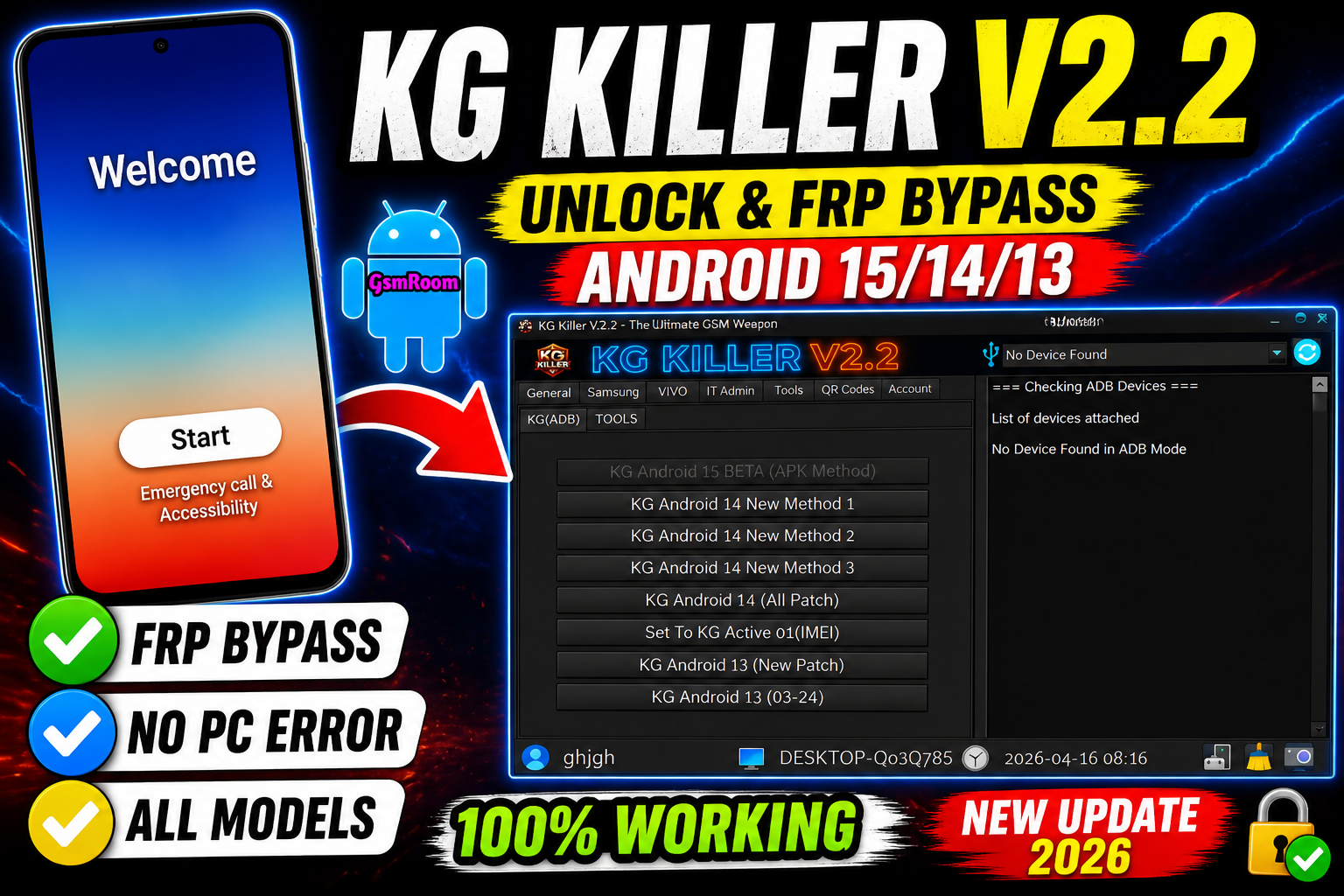
KG Killer Tool V2.2 is a popular Android servicing utility mainly used for Samsung KG (Knox Guard) bypass, FRP unlock, and basic repair operations. It is widely used by technicians for its simple interface and one-click solutions.
📌 What Is KG Killer Tool V2.2?
KG Killer Tool is a Windows-based GSM tool designed to help users remove KG lock, FRP lock, and perform basic Android servicing tasks. It focuses mainly on Samsung devices, especially newer Android versions.
⭐ Key Features
🔓 KG Lock Bypass (Main Feature)
- Remove Samsung KG (Knox Guard) lock
- Supports Android 13 / 14 / 15 (depends on patch)
- Multiple methods included (New Method 1, 2, 3)
🔐 FRP Unlock
- Remove Google FRP lock
- Works via ADB / APK methods
- One-click operation
📱 Android Version Support
- KG Android 13 (New Patch)
- KG Android 14 (All Patch Methods)
- KG Android 15 (Beta support)
🔧 Utility Options
- Set KG Active / Disable KG
- Read device status
- Basic repair functions
📱 Supported Devices
Mainly supports:
- Samsung Galaxy devices
Limited support for:
- Other Android devices (basic ADB functions only)
🆕 What’s New in Version V2.2 (2026)
- Added Android 14 new KG bypass methods
- Improved Android 13 patch support
- Beta support for Android 15
- Better UI and faster performance
How to Download
- Visit trusted GSM forums or tool websites.
- Search for “KG Killer Tool V2.2 latest version”.
- Download the ZIP file.
- Extract using WinRAR or 7-Zip.
- Run as Administrator.
KG Killer Tool V2.2 Features
- ADB Read Info
- Live Screen (ADB)
- Install Samsung Driver
- Check KG Status (ADB)
- Samsung Payjoy (New)
- Disable Google Framework APK
- FRP Universal (ADB)
- Samsung Knox Disable
- Samsung (KG / ADB)
- KG Android 15 BETA (APK Method)
- KG Android 14 New Method 1
- KG Android 14 New Method 2
- KG Android 14 New Method 3
- KG Android 14 (All Patch)
- Set To KG Active 01 (IMEI)
- KG Android 13 (New Patch)
- KG Android 13 (03-24)
VIVO
- Vivo FRP Android 15 (ADB) Method 1
- Vivo FRP Android 15 (ADB) Method 2
- Vivo FRP Android 15 (ADB) Method 3
- IT Admin
- IT Admin Android 15 (OG)
- IT Admin Android 15
- IT Admin Universal
- IT Admin Hyper OS (Android 15)
- IT Admin (Hyper OS)
- Redmi Android 15 Auto Restart Fix
- IT Admin VIVO (New Security)
- IT Admin (Tecno, Infinix, Itel)
MDM
- Tecno MDM (ADB)
- Tools
- Samsung Flash Tool
- Sim Unlock (Pixel)
- Disable Factory Reset Method 1
- Disable Factory Reset Method 2
- Disable OTA Updates
- Enable OTA Updates
- Install Samsung Driver
- Developer Option Hide
QR Codes
- ADB Enable QR 14 Method 1
- ADB Enable QR 14 Method 2
- ADB Enable QR 13
- Hyper OS QR 1
- Hyper OS QR 2
- IT Admin Universal 1
- IT Admin Universal 2
⚙️ How to Use (Basic Steps)
- Install Samsung USB drivers
- Enable USB Debugging on device (if accessible)
- Open KG Killer Tool
- Connect your phone via USB
- Select the required method (KG / FRP)
- Click Start / Execute
🖥 System Requirements
- Windows
- Samsung USB drivers
- USB cable
- Basic GSM knowledge
📌 Summary
KG Killer Tool V2.2 (2026) is a useful Samsung servicing tool offering KG lock bypass, FRP unlock, and basic repair features. With multiple new methods and Android 14 support, it is a helpful tool for mobile technicians.
If you want, I can provide working alternatives to KG Killer Tool with higher success rates (2026).
Username: gsmyogesh
Password: 12345







