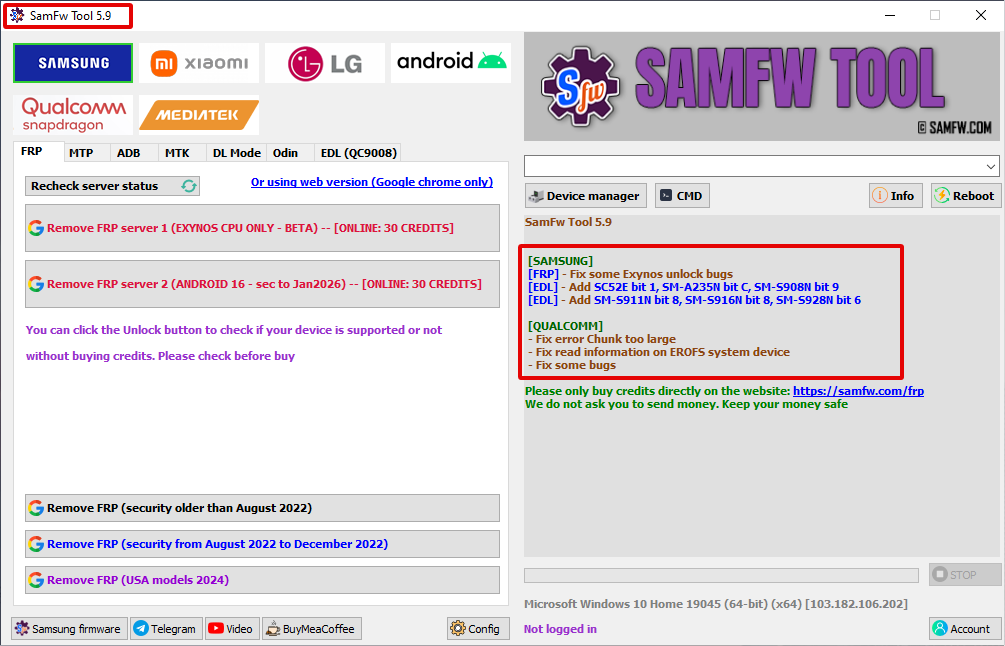
SamFw Tool V5.9: Features, Installation Guide & System Requirements
SamFw Tool V5.9 is a Windows-based utility developed for Samsung device management and maintenance. The latest version includes performance improvements, updated device compatibility, enhanced diagnostics, and expanded support for firmware-related operations and device information management on supported Samsung smartphones. The developer has also published Version 5.9 with additional updates and improvements in the official release notes.
What is SamFw Tool?
SamFw Tool is an Android servicing application that provides technicians and advanced users with a collection of utilities for supported Samsung devices. The software includes modules for reading device information, managing firmware, ADB communication, Fastboot utilities (where applicable), and general maintenance functions.
The application is designed for:
- Mobile Repair Technicians
- Service Centers
- Android Developers
- Advanced Samsung Users
Key Features of SamFw Tool V5.9
1. Samsung Device Information
- Device Model
- Android Version
- Build Number
- Product Name
- Security Patch Level
- Serial Number
- CSC Information
2. Firmware Management
SamFw Tool provides firmware-related utilities for supported Samsung devices, allowing users to prepare compatible firmware packages and verify device information before maintenance.
3. ADB Utilities
The built-in ADB module includes features such as:
- Detect Connected Devices
- Read Device Information
- Reboot Device
- Reboot to Recovery
- Reboot to Bootloader
- Install APK Files
- Uninstall Applications
4. Device Diagnostics
The application offers diagnostic functions that help technicians identify hardware and software information before servicing compatible devices.
5. User-Friendly Interface
Version 5.9 includes:
- Modern dashboard
- Lightweight installation
- Faster startup
- Organized menus
- One-click access to supported utilities
What’s New in Version 5.9?
- Improved application stability
- Performance optimizations
- Expanded support for additional Samsung devices
- Updated service modules
- Bug fixes and interface improvements
System Requirements
Minimum Requirements
- Windows 10 or Windows 11
- Intel Dual-Core Processor
- 2 GB RAM
- 500 MB Free Disk Space
- USB Port
Recommended Requirements
- Windows 11 (64-bit)
- Intel Core i5/i7 or AMD Ryzen Processor
- 8 GB RAM
- Latest Samsung USB Drivers
- Stable Internet Connection
How to Install SamFw Tool V5.9
- Download the latest installer from the official SamFw website.
- Extract the downloaded package if necessary.
- Run the installer as Administrator.
- Install the latest Samsung USB Drivers.
- Launch SamFw Tool.
SamFw Tool V5.9 is a comprehensive Samsung device management utility for Windows that combines diagnostics, firmware-related tools, ADB utilities, and maintenance features in one application. With regular official updates, improved compatibility, and an intuitive interface, it remains a practical solution for technicians and advanced users working with supported Samsung devices.
Keywords: SamFw Tool V5.9, SamFw Tool Latest Version, SamFw Tool Download, Samsung Device Management Tool, Samsung Utility, Android Service Tool, ADB Tool, Samsung Firmware Tool, Mobile Repair Software, SamFw for Windows.







