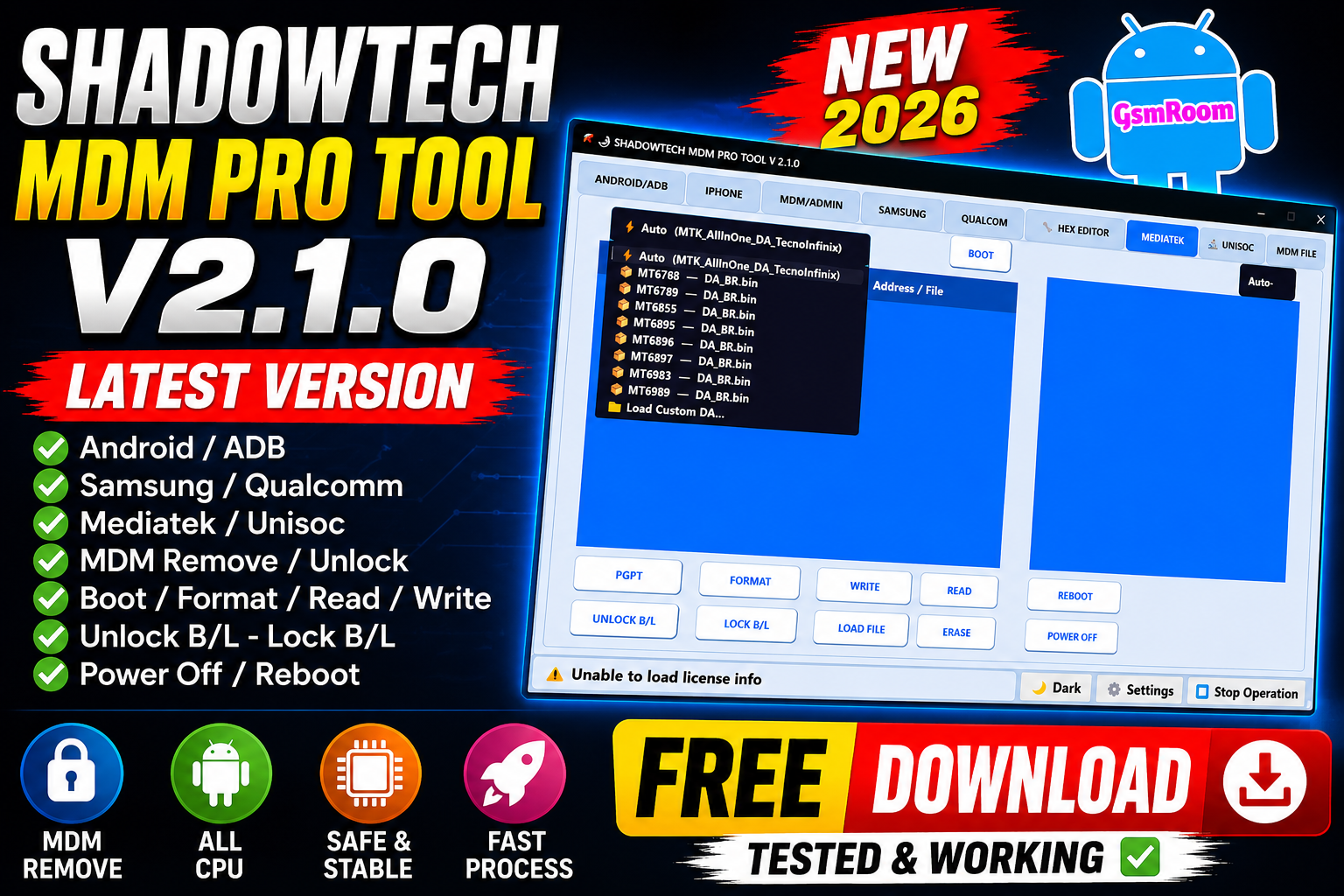
SHADOW TECH Tool V2.1.0 is an advanced all-in-one Android and iPhone servicing software designed for FRP bypass, MDM unlock, flashing, bootloader operations, and repair tasks. The latest version includes support for Samsung, MediaTek, Qualcomm, Unisoc, and Apple devices.
📌 What Is SHADOW TECH Tool?
SHADOW TECH Tool is a Windows-based GSM utility used by mobile technicians for performing various repair and unlocking operations on smartphones and tablets. It combines multiple modules such as:
- Android / ADB tools
- Samsung KG & FRP functions
- MediaTek and Unisoc services
- iPhone RAMDisk & Hello bypass
- Partition and HEX editing tools
⭐ Main Features
🔓 Android / ADB Functions
- Get device information
- ADB FRP bypass
- Factory reset
- Reboot to bootloader / recovery
- Disable OTA updates
📱 Samsung Functions
- Samsung KG bypass (2025/2026 methods)
- MTP FRP Android 16 support
- Odin flashing support
- Change CSC
- Enable ADB QR
⚡ MEDIATEK Features
- Auto DA Loader support
- Read / Write partition
- Format & erase partition
- Unlock / Lock bootloader
- Reboot & power off options
Supported chipsets include:
- MT6768
- MT6789
- MT6895
- MT6983 and more
🔧 UNISOC Functions
- Factory reset / FRP reset
- Read & write partition
- Security reset
- DIAG mode support
- IMEI read/write
🍏 iPhone / iPad Support
- iOS Hello bypass
- RAMDisk operations
- FMI-related functions
- Support for iOS 12–18.x
SHADOW TECH V 2.1.0 – Features
- ANDROID / ADB
- Get Device Info
- Disable FRP Reset
- Enable FRP Reset
- Unlock Network (Google Pixel)
- ADB Bypass FRP
- Disable OTA Updates
ADB Factory Reset
- ADB / REBOOT OPTIONS
- Reboot Bootloader
- Reboot Device
- Reboot Recovery
- Reboot Download Mode
FASTBOOT
- Factory Reset
- Unlock Bootloader
- Relock Bootloader
- Remove FRP
- Root Device
IPHONE (ICLOUD BYPASS)
- Read Device Info
- Zadig Setup
- PPWN Support
- Ramdisk Operations
- iOS 15–18 Hello Bypass
- iOS 12–14 Hello Bypass with Network
- Hello Bypass with Serial
MDM / ADMIN
- Get Device Info
- MDM Black Screen Fix
- MDM Bypass 1
- Enable ADB
- Nokia Bypass
- Remove IT Admin
- Activate KG
- Disable Factory Reset
- Enable Factory Reset
- Disable OTA Updates
SAMSUNG (ADB / KG STATUS)
- KG Bypass 2025/2026 (ADB)
- Factory Reset (Download Mode)
- Device Info (MTP)
- MTP FRP Android 16
- MTP FRP 2022
- ADB FRP Bypass
- Enable ADB QR
- Disable Factory Reset
- Enable Factory Reset
- Change CSC
- MTP 2022 New Security
SAMSUNG (ODIN MODE)
- Load AP File
- Load BL File
- Load CP File
- Load CSC File
- NAND Erase
- Flash Firmware
- Don’t Reboot Option
SAMSUNG (FASTBOOT A06)
- Check Device
- Unlock Bootloader
- Factory Reset
- Relock Bootloader
- Erase Persistent
- Flash Super.img
HEX EDITOR
- Load Super File
- Patch Misc Data
- Patch Pro Info
- Patch Without Backup
- Patch With Backup
- Stop Process
MEDIATEK
- Auto DA Loader (MTK AllInOne)
- Support Multiple Chipsets
- Load Custom DA
- Read Partition
- Write Partition
- Format Device
- Erase Partition
- Reboot Device
- Power Off
- Unlock Bootloader
- Lock Bootloader
- Load File
UNISOC (PARTITION MANAGER)
- Read Info
- Read Security
- Format Partition
- Read Partition
- Write Partition
- Load Files
- Boot Device
- Patch Misc Data
- Factory / FRP Reset
- Read SEC File
UNISOC (SERVICES)
- Factory Reset / FRP
- Remove FRP Samsung
- Read Security / Network
- Reset Security / Network
- Restore Security / Network
UNISOC (DIAG)
- Connect Device
- Enter DIAG Mode
- Factory Reset
- Power Off
- Read IMEI
- Write IMEI
- Send AT Command
- UNISOC (UNLOCK BOOTLOADER)
- Select Device
- Unlock Bootloader
- Auto Process Handling
🆕 What’s New in Version 2.1.0
- Added new Samsung KG bypass methods
- Improved MediaTek support
- Better Unisoc stability
- Updated iPhone Hello bypass functions
- Improved UI and faster performance
How to Download
- Visit trusted GSM forums or official Telegram channels.
- Search for:
“SHADOW TECH Tool V2.1.0 Official Release” - Download the ZIP package.
- Extract using WinRAR or 7-Zip.
- Run the tool as Administrator.
⚙️ How to Use (Basic Steps)
- Install USB drivers (ADB, MTK, Qualcomm, Samsung).
- Open SHADOW TECH Tool.
- Connect your device via USB.
- Select the desired module (Samsung, MTK, iPhone, etc.).







