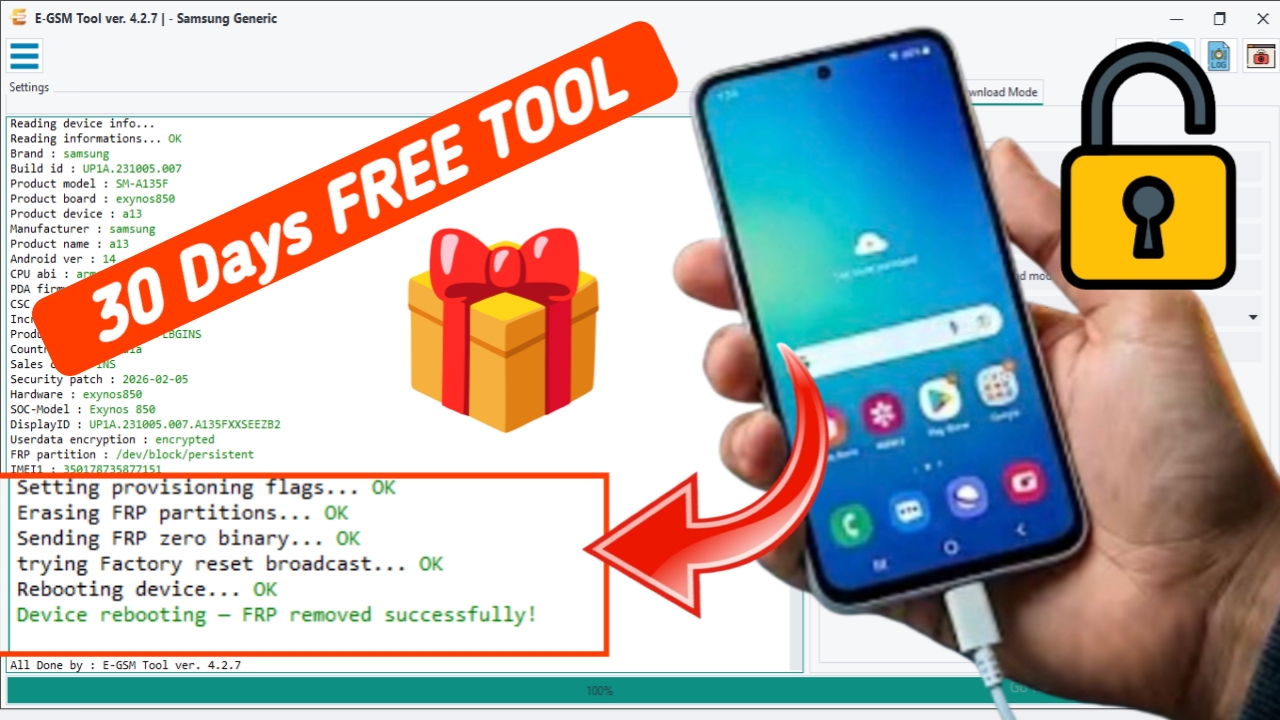
E-GSM Tool is a mobile servicing software utility designed for technicians and advanced users who work with supported Android smartphones. The tool provides an organized environment for accessing device information, performing supported software maintenance tasks, and managing compatible mobile servicing operations.
The E-GSM Tool 30 Day Free Download – Latest Version is an attractive option for eligible users who want to evaluate the software before purchasing a full subscription or license. A 30-day trial period can help technicians explore the interface, understand available modules, and test officially supported features.
What Is E-GSM Tool?
E-GSM Tool is a Windows-based mobile servicing application developed for supported Android device maintenance and software operations. Mobile repair technicians often need different utilities for various smartphone brands, chipsets, and software platforms.
Supported Android Brands
- Samsung
- Xiaomi
- Redmi
- POCO
- Vivo
- Oppo
- Realme
- Motorola
- OnePlus
- Infinix
- Tecno
Supported Chipsets
- Qualcomm
- MediaTek
- Unisoc
- Huawei Kirin
- EDL Mode
- Fastboot Mode
- ADB Mode
Qualcomm Flashing Features
- Read GPT
- Read Data
- Flash Firmware
- Reboot Device
- Read Partition
- Write Partition
- Erase Partition
- Select Sector Size
- LUN Selection
- Begin Address Selection
- End Address Selection
- Load Firehose File
- Load Patch File
- Load Firmware File
- Backup GPT
- Reset FRP
- Factory Reset
- Mi Account Reset
- EFS Backup
- EFS Restore
Qualcomm Unlock Features
- Reset FRP
- Reset Lock
- Realme FRP Reset
- Realme Reset Lock
- Realme Narzo Series Support
- Realme GT Series Support
- Realme Neo Series Support
- Realme X Series Support
- Realme C Series Support
- Realme Q Series Support
- Realme V Series Support
Qualcomm Network Repair Features
- Write IMEI
- QCN Read
- QCN Write
- Critical Read
- Critical Write
- Diag Enable
- Diag Enable Xiaomi
- Diag Enable Root
MediaTek Flashing Features
- Read GPT
- Read Data
- Flash Firmware
- Reboot Device
- Read Partition
- Write Partition
- Erase Partition
- Scatter File Support
- Preloader Selection
- Download Agent Support
- Read RPMB
- Write RPMB
- Erase RPMB
- Backup RPMB
- Restore RPMB
- Factory Reset
- Safe Format
- Meta Mode Support
- Payload Parser
- Open Browser
MediaTek Unlock Features
- Reset FRP
- Reset Userdata and FRP
- Reset Lock
- Reset Mi Account
- Relock Bootloader
- Unlock Bootloader
- Erase FRP
- Security Repair
- Fix DM Verify
- Patch IMEI
- Erase Data
- Reset Backup
MediaTek META Features
- META Mode Connection
- IMEI Repair
- NVRAM Operations
- Network Repair
- Security Repair
- Extra Mode Features
- Oplus Demo Exit Code
- Vivo Demo Exit Code
- Demo Phone Unlock
- Special Service Functions
Unisoc Features
- Tiger T7200 FRP Bypass
- Tiger T7250 FRP Bypass
- Factory Reset
- SOC Detection
- Auto Detection
- Reset User Lock
- Samsung Features
- Samsung FRP Reset
- Samsung Factory Reset
- Samsung Erase FRP Bit 1
- Samsung Erase FRP Bit 2
- Samsung MediaTek Support
Xiaomi Features
- Mi Account Reset
- Xiaomi Diag Enable
- Bootloader Unlock
- FRP Reset
- Factory Rese
Supported Operations
- Flash Firmware
- Read Firmware
- Write Firmware
- Erase Firmware
- Readback Support
- Partition Manager
- Bootloader Operations
- FRP Unlock
- Userdata Reset
- Security Backup
- Security Restore
- Device Information Read
- Memory Information Read
- ADB Support
- Fastboot Support
- EDL Support
Supported Chipset Platforms
Modern Android smartphones use different hardware platforms.
Depending on the version and module, mobile servicing applications may work with selected devices powered by:
Qualcomm Snapdragon
Qualcomm processors are used in smartphones from many different manufacturers.
MediaTek
MediaTek processors are commonly found in entry-level, mid-range, and flagship Android devices.
Unisoc
Unisoc-powered smartphones are popular in several budget and mid-range markets.
Samsung Exynos
Samsung uses Exynos processors in selected Galaxy smartphone models.
Always check official software compatibility before connecting a device.
Does E-GSM Tool Offer a 30-Day Trial?
Trial offers can change depending on current promotions and official licensing terms. Users should confirm eligibility through the official provider.
E-GSM Tool 30 Day Free Download – Latest Version is a useful option for eligible mobile technicians and advanced Android users who want to evaluate a professional mobile servicing environment. A limited trial period can provide an opportunity to explore the software interface, check system compatibility, and understand the available officially supported functions.