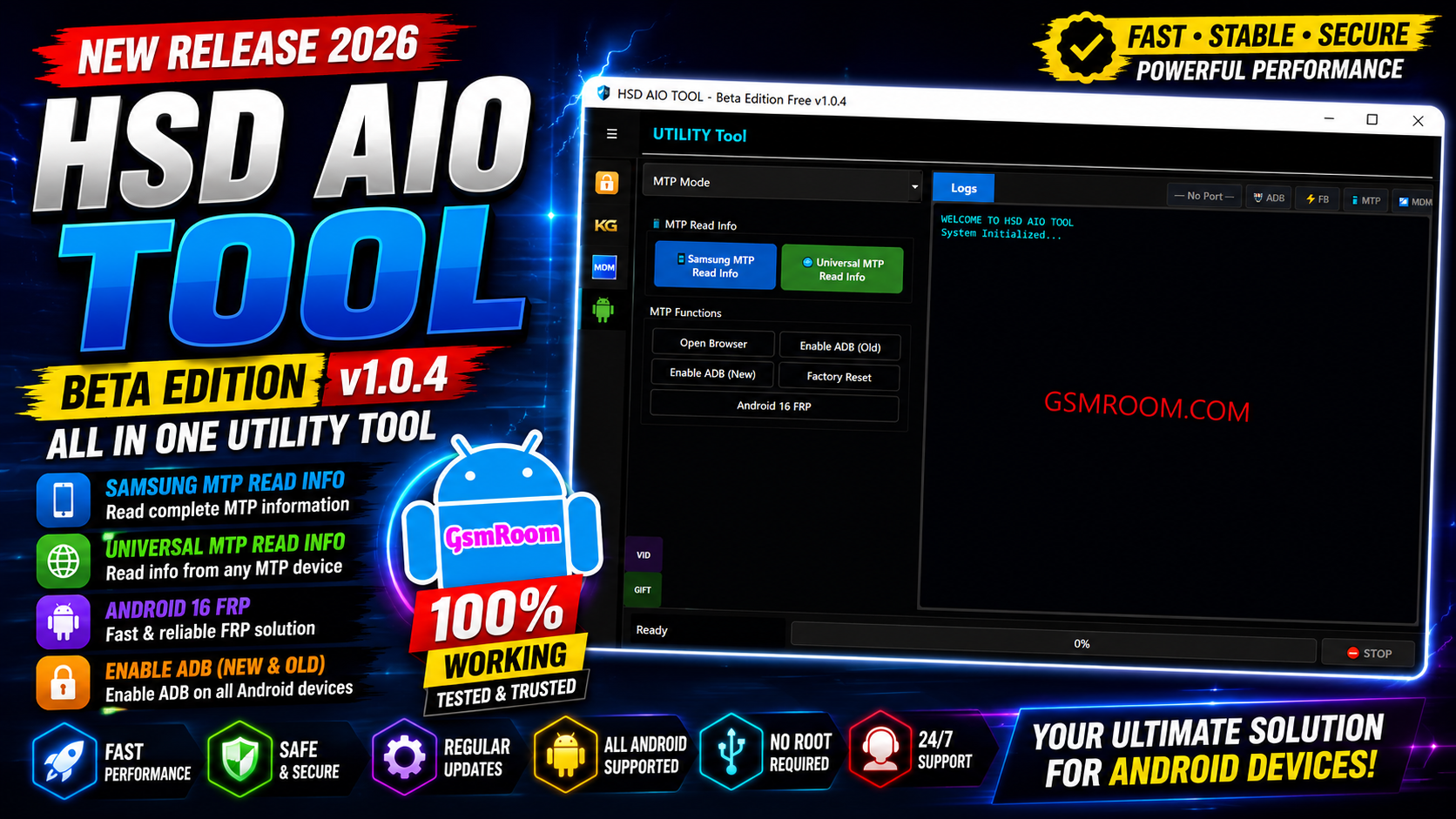
HSD AIO Tool v1.0.4 is described as an all-in-one Android servicing utility for Windows PCs. It is intended for mobile technicians and advanced users who need a collection of Android maintenance and diagnostic functions in one application.
I couldn’t verify a reliable current source for the specific v1.0.4 release, so I wouldn’t claim unverified features or provide a download link as if it were official.
Features HSD AIO Tool :-
- Support for Infinix devices
- Support for Motorola devices
- Support for Oppo devices
- Support for Realme devices
- Support for Samsung devices
- Support for Vivo devices
- Support for iQOO devices
- Support for Itel devices
- Support for Nothing devices
- Support for Poco devices
- Support for Redmi devices
- Support for Tecno devices
- Support for Xiaomi devices
- KG Tool / Knox Guard Tool
- Read Samsung Info using ADB
- Enable ADB in MTP Mode
- Enable ADB using the old method
- Enable ADB using the June 2023 method
- Android 13 KG Lock
- Android 14 Universal method
- Remove Knox
- Fix Relock
- Android 13 QR Code ADB Enable
- UMT ADB QR
- MDM / IT Admin Tool
- Read Device Info
- Android 15 / 16 Fix
- Android 13 / 14 Fix
- Generate QR Code
- Enable Factory Reset
- Video Guide
- Screen Mirroring
- OTA / Update Blocker for Samsung
- OTA / Update Blocker for Xiaomi
- OTA / Update Blocker for Oppo
- OTA / Update Blocker for Vivo
- OTA / Update Blocker for OnePlus
- OTA / Update Blocker for Motorola
- OTA / Update Blocker for Huawei
- Utility Tool with MTP Mode
- Samsung MTP Read Info
- Universal MTP Read Info
- Open Browser through MTP Mode
- Enable ADB Old through MTP Mode
- Enable ADB New through MTP Mode
- Factory Reset through MTP Mode
- Android 16 FRP option
- ADB Mode
- Read Info in ADB Mode
- Remove FRP
- Reboot Device
- App Manager
- ADB FRP OS15
- Hardware Diagnostics
- List Packages
- Disable OTA
- Full Device Info
- Open Settings
- Open Browser
- Open Dialer
- Fastboot Mode
- Read Info in Fastboot Mode
- Reboot Device from Fastboot Mode
- Reboot to EDL Mode
- Xiaomi ADB Mode
- View Phone IDs and Hardware Information
- View CPU information
- View Brand and Model information
- View Bluetooth MAC address
- View Wi-Fi MAC address
- View ENG State
- View IMEI1 and IMEI2
- Read Critical Data
- Generate Critical Data
- Write Critical Data
- Reboot Xiaomi Device
HSD AIO Tool v1.0.4 Free?
The tool is commonly described online as a free Android servicing utility. However, because I couldn’t find a reliable current source confirming the v1.0.4 release specifically, I recommend verifying the version and source before publishing a direct download link.