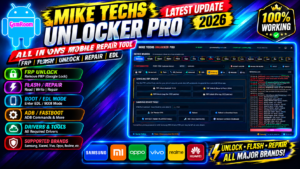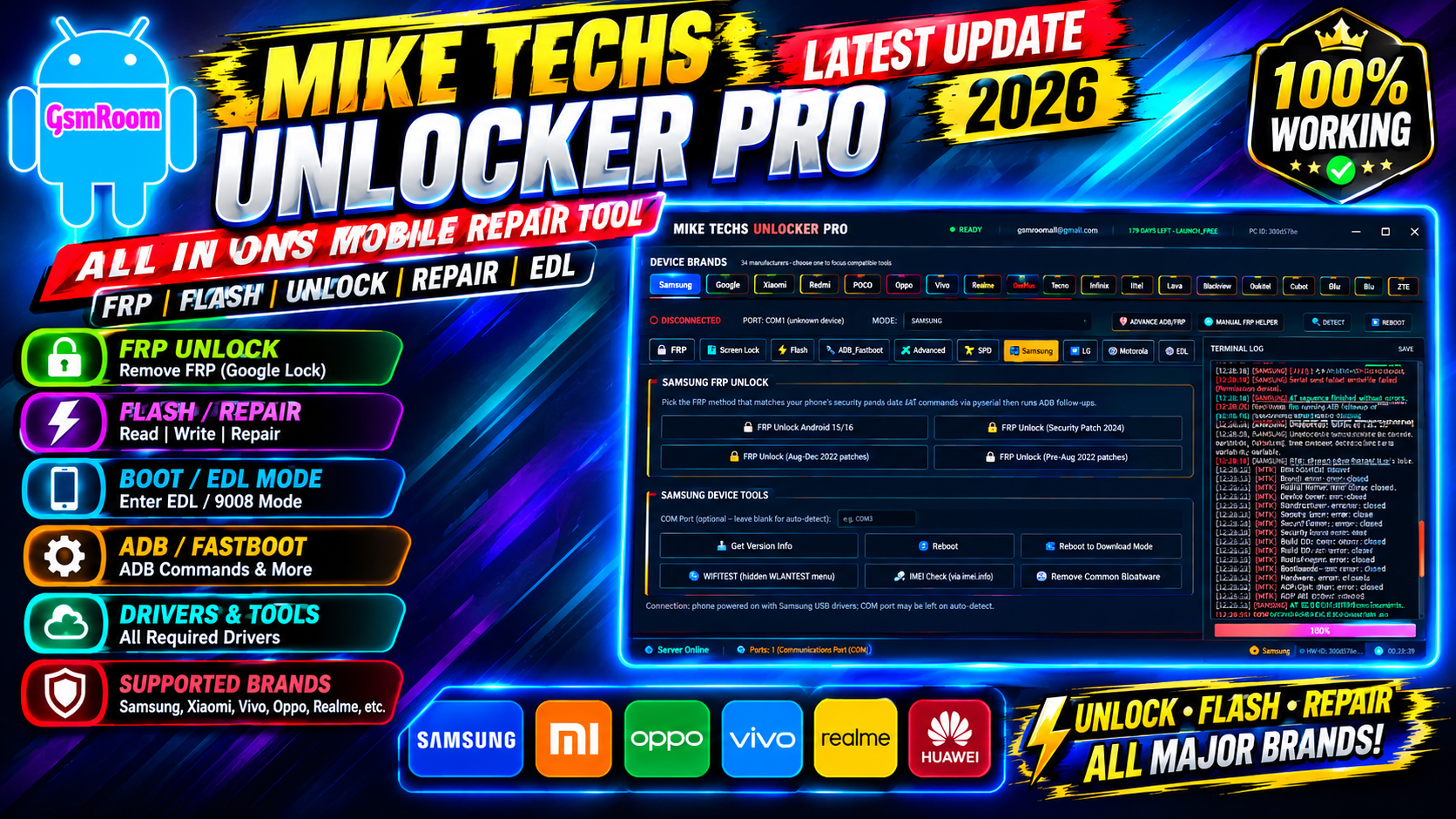
MikeTechsUnlockerPro Latest Version is currently listed as v2.2, according to the software’s current website. The tool is presented as a Windows-based Android servicing utility designed for technicians working with different mobile chipsets, including MediaTek (MTK), Qualcomm, Unisoc/SPD, and Samsung devices.
Mobile phone technicians often need several utilities for diagnostics, firmware servicing, USB communication, ADB/Fastboot operations, and device maintenance. Mike Techs Unlocker Pro attempts to bring several of these functions together in one Windows application.
Main Features
1. Multi-Chipset Support
One of the main ideas behind MikeTechsUnlockerPro is providing tools for multiple mobile platforms in one application.
The current website lists support for:
- MediaTek
- Qualcomm
- Unisoc/Spreadtrum
- Samsung
- ADB
- Fastboot
- EDL-related servicing
This can make the program useful for technicians who regularly switch between different Android platforms.
2. MTK Servicing
The MTK section is designed around MediaTek devices and common technician workflows.
The publisher describes functionality involving BootROM communication, firmware servicing, and device operations. Exact compatibility can vary considerably between models, chipsets, firmware versions, and security patches, so technicians should always verify model-specific support before performing a repair.
3. Qualcomm Support
Qualcomm devices use different communication modes from many MediaTek phones. The website lists Qualcomm/EDL functionality among the supported areas of Mike Techs Unlocker Pro.
For legitimate repair work, Qualcomm diagnostic and firmware modes can be useful when a device isn’t booting normally.
4. Unisoc / SPD Support
The software also advertises support for Unisoc, formerly known as Spreadtrum, devices.
The published feature information mentions PAC firmware-related servicing and FDL-based communication. Compatibility should be checked against the exact device and firmware package before attempting any operation.
5. Samsung Tools
Samsung devices have their own servicing ecosystem and USB communication requirements. Mike Techs Unlocker Pro lists Samsung-specific functionality, along with support for Samsung USB drivers and Download Mode-related workflows.
For firmware flashing, technicians should use firmware intended for the exact model and region and maintain a reliable backup whenever possible.
6. ADB and Fastboot
ADB and Fastboot are standard Android development and servicing interfaces.
MikeTechsUnlockerPro includes ADB-related functionality according to the publisher’s current feature list. These interfaces can be useful for diagnostics, rebooting compatible devices into service modes, collecting device information, and carrying out authorized maintenance operations.
7. Firmware Flashing
Firmware flashing is another advertised feature of the application.
The current website describes scatter-based MTK firmware operations and other chipset-specific servicing workflows.
Flashing is a potentially destructive operation. A technician should always confirm:
- Exact device model.
- Correct firmware version.
- Correct regional variant.
- Battery level.
- USB driver installation.
- Stable USB connection.
- Availability of a suitable backup.
Using incompatible firmware can cause boot failures or other device problems.
Supported Phone Brands
The publisher’s website lists a broad selection of brands, including:
- Samsung
- Tecno
- Infinix
- Itel
- Xiaomi
- Redmi
- POCO
- Realme
- OPPO
- Vivo
- OnePlus
- Huawei
- Motorola
- Nokia
- LG
- ZTE
- Lenovo
- ASUS
- Sony
- HTC
- Doogee
- Oukitel
- Ulefone
- Blackview
- Cubot
- UMIDIGI
- Lava
- Micromax
- Meizu
- Honor
- Coolpad
- Oscal
However, a brand appearing on a compatibility list doesn’t mean that every model is supported. Support can depend on chipset, Android version, security patch, boot mode, firmware, and regional variant.
MikeTechsUnlockerPro System Requirements
Before installing the tool, make sure the computer meets the published requirements.
Minimum PC Requirements
- Windows 7 64-bit or newer
- Windows 8 64-bit
- Windows 10 64-bit
- Windows 11 64-bit
- Intel or AMD processor
- At least 4 GB RAM
- Approximately 500 MB free storage for the basic installation
- USB 2.0 or newer port
The publisher additionally recommends installing the appropriate USB drivers for the device being serviced.
Required USB Drivers
Correct USB drivers are extremely important for mobile servicing software.
The Mike Techs website lists driver categories including:
- MediaTek USB VCOM / Preloader
- Qualcomm HS-USB QDLoader 9008
- SPD/Unisoc drivers
- Samsung USB Driver
- ADB and Fastboot
- Motorola USB Driver
- LG USB Driver
- CDC/Preloader drivers
If the software doesn’t detect a connected phone, the first thing to check is usually Windows Device Manager and the relevant USB driver.
How to Install MikeTechsUnlockerPro v2.2
The publisher describes the package as a portable application rather than a conventional Windows installer.
A general installation workflow is:
Step 1: Download the Package
Obtain the software from the publisher’s current website rather than an unknown mirror.
Step 2: Extract the Archive
If the download is supplied as a compressed ZIP or similar archive, extract it to a dedicated folder.
Avoid extracting repair tools directly into sensitive Windows system folders.
Step 3: Install USB Drivers
Install the USB driver appropriate for the phone and chipset.
Restart Windows if the driver package requests it.
Step 4: Launch the Program
Open the extracted application and run it with the required Windows permissions.
Step 5: Connect an Authorized Device
Connect the phone using a good-quality USB cable and select the appropriate servicing mode.
Step 6: Check Device Detection
Before performing a repair operation, confirm that Windows and the application correctly recognize the device.
How to Use the Tool Safely
Mobile servicing software can perform operations that change partitions, firmware, configuration, or user data.
For that reason, a careful workflow is recommended:
- Identify the exact model.
- Record the current software version.
- Back up important user data where possible.
- Charge the device sufficiently.
- Install the correct USB driver.
- Use the correct firmware.
- Avoid disconnecting the USB cable during firmware operations.
- Read the application’s log before repeating failed operations.
- Don’t experiment with incompatible loaders or firmware.
- Confirm that you are authorized to service the phone.
This approach reduces the chance of unnecessary data loss or device failure.
Common MikeTechsUnlockerPro Problems
Tool Does Not Start
If the application doesn’t open, check:
- Windows architecture
- Missing runtime components
- Antivirus or Windows security alerts
- Corrupted archive
- Administrator permissions
- Incomplete extraction
If a security product flags a downloaded executable, don’t automatically assume it’s a false positive. Verify the file’s source and scan it independently before running it.
Phone Is Not Detected
Try:
- Reinstalling the correct USB driver.
- Using another USB port.
- Replacing the USB cable.
- Restarting the computer.
- Checking Device Manager.
- Confirming the phone is in the correct manufacturer-supported mode.
Flashing Fails
A failed flash can have several causes.
Check the firmware model, regional variant, chipset, USB connection, driver status, and available storage. Do not repeatedly flash random firmware packages because the device isn’t responding as expected.
Application Shows an Error
Take note of the complete error message and log information.
Different errors can point to different causes, so replacing files or changing random settings without understanding the error can make troubleshooting harder.
Is MikeTechsUnlockerPro v2.2 Free?
The publisher currently advertises Mike Techs Unlocker Pro v2.2 as free and says that no license or registration is required.
Because third-party copies may be modified, users should be cautious when downloading repacked versions from file-sharing websites. A modified executable can contain unwanted software even when the original application is legitimate.
Where to Download MikeTechsUnlockerPro
The current publisher website is the most direct source I found for Mike Techs Unlocker Pro v2.2. It currently advertises the v2.2 release, its system requirements, supported platforms, and download information.
Before downloading, compare the version number and file information shown on the website with the package you receive.
MikeTechsUnlockerPro v2.2 is currently advertised as a free Windows mobile servicing utility with support for MTK, Qualcomm, Unisoc/SPD, Samsung, ADB, Fastboot, and other repair workflows. The publisher lists Windows 7/8/10/11 64-bit compatibility and a broad range of Android brands.
For technicians, the main attraction is its attempt to combine several chipset-specific servicing functions into one interface. However, compatibility varies by model and firmware, and low-level repair operations can result in data loss or device problems if used incorrectly.
For the safest experience, download the current release from the publisher, verify the package before execution, install the appropriate USB drivers, back up important data, and use the software only for devices you’re authorized to repair.
Disclaimer
This article is provided for educational and informational purposes. MikeTechsUnlockerPro and any referenced third-party software are not endorsed by this article’s publisher. Always respect device ownership, manufacturer policies, local laws, and account-security protections. Use mobile servicing functions only on devices for which you have legitimate authorization.
File Password: Miketechs